Consent questions don’t only appear on your main registration form. You can also attach them to profile editor sign-up modules, payment groups and pages, and check-in. Set the questions up first, see how to set up consent questions and messaging channels, then add them wherever you need them.
Profile editor sign-up modules
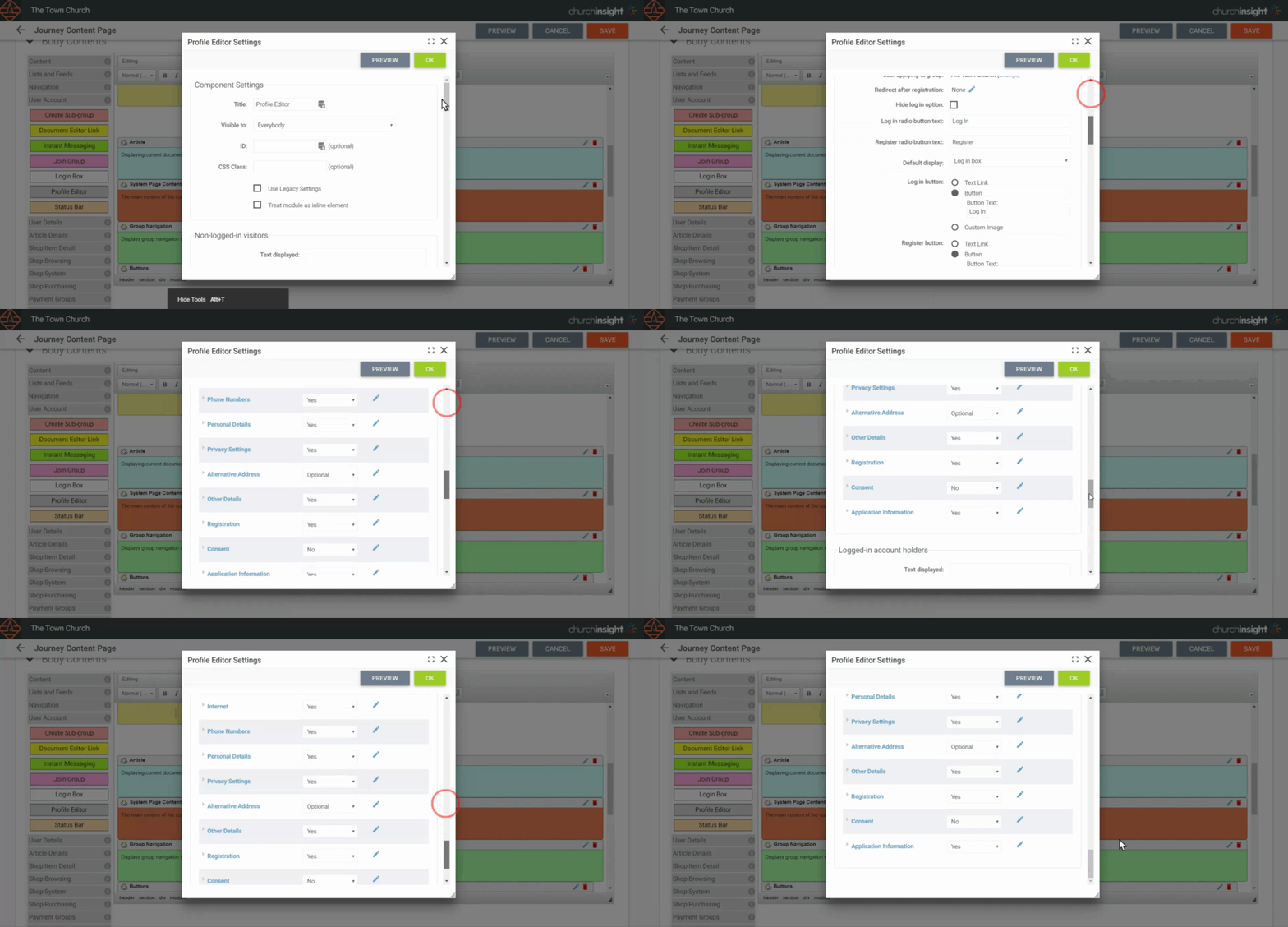
The profile editor is a cut-down sign-up module, often used for something like a newsletter sign-up that drops people into a group of your choice. If you use one, you can attach consent questions to it.
You’ll find it in Templates (Site Settings > Site Design > Templates) and Layouts (Site Settings > Site Design > Themes and Layouts). Open the module’s settings with the edit icon at its top right, scroll to the consent area, and set the questions you need for the logged-in and logged-out options, depending on how the module is used.
Payment groups and payment pages
You can include any or all of your consent questions during a payment sign-up.
-
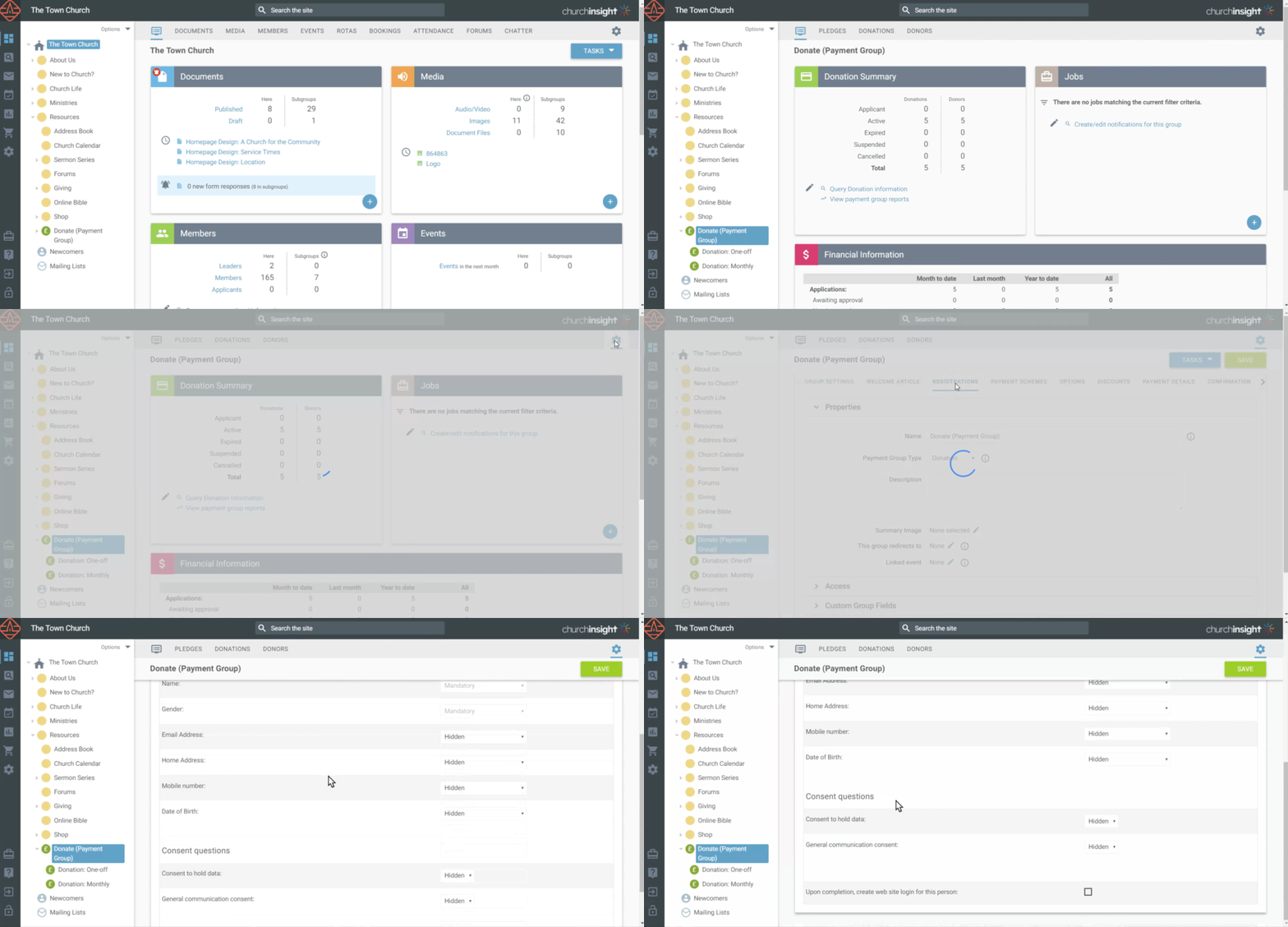
For a payment group, open its settings and go to the Data to Collect tab, then scroll to the Consent Questions area.
-
For a payment page, go to Settings > Advanced Options > Registrations and scroll to the Consent Questions area.
In both, you can choose all your consent fields or pick specific ones.
Check-in
Holding children’s details for check-in and children’s ministry is generally treated as legitimate interest, so you don’t have to ask for consent, and many churches don’t. If you leave check-in with no consent questions, guardians are added to your database with login disabled and no consent recorded; if you later enable their login, they can set their own consent.
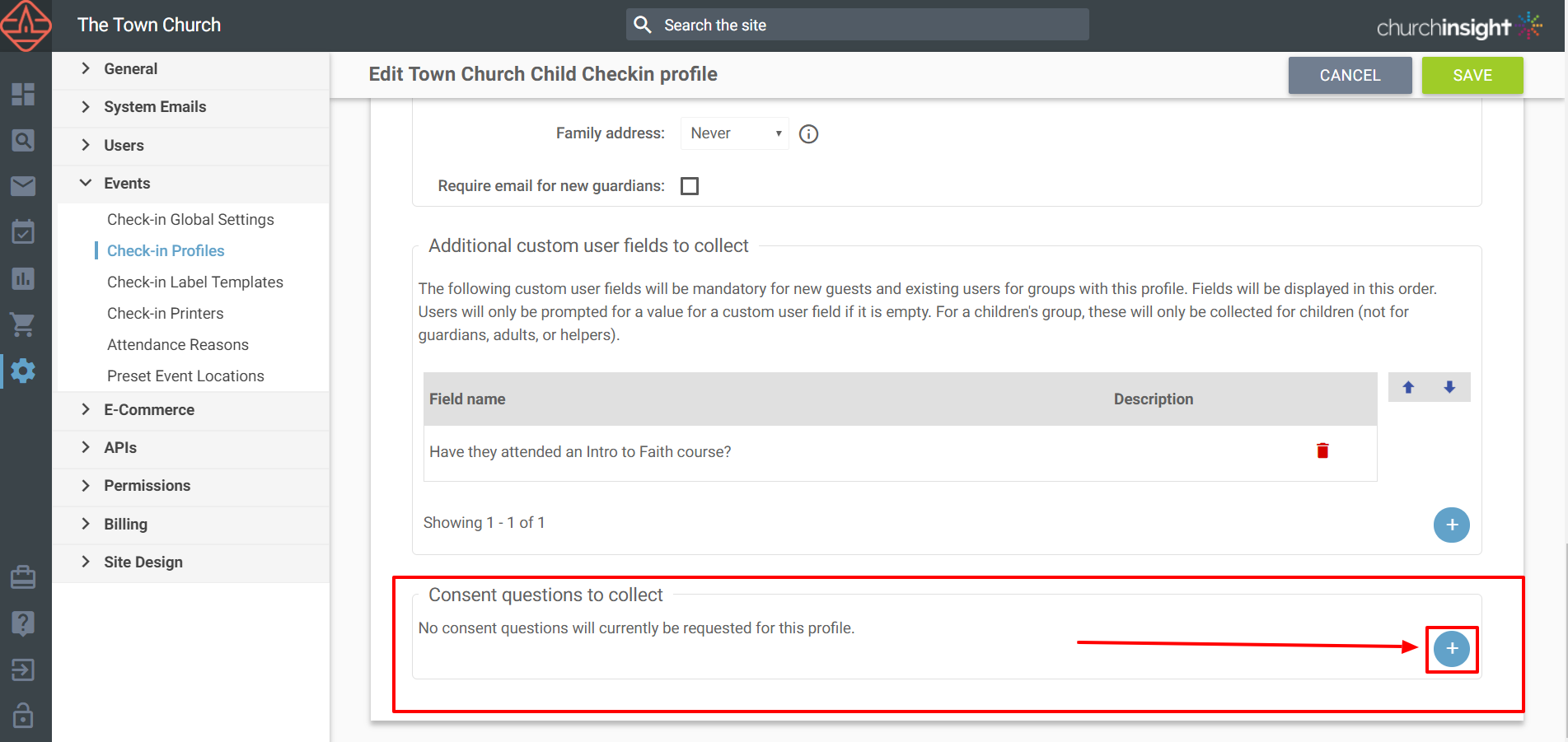
If you do want consent questions in check-in, add them under Site Settings > Events > Check-In Profiles, at the bottom of the page. There are two separate areas, and choosing the right one matters:
-
Consent questions to collect for users records consent against the person being checked in, usually the child. Photo permission is the classic example.
-
Consent questions to collect for guardians records consent against the adult doing the checking in. Use this for anything the guardian is agreeing to on their own behalf, such as being contacted about the group.
Each area has its own field picker, so you can collect a different set from each. A few other things to remember:
-
The consent is listed as given by the ‘Check-In Kiosk’ user.
-
You’ll need to do this for each check-in profile, and make sure your profiles are assigned to the right groups.
-
Terms and conditions are separate from consent questions, and they need both a date-type custom field and the article attached before they’ll appear; see check-in profiles: every option explained.
For more on setting up check-in itself, see the Attendance and Check-In guides.
Still stuck? We’re real people.
Raise a support ticket and our UK team will get back to you.
Contact support