Rota Basics
(2 minutes)
This video will cover the essentials for setting up a rota
Sorry, your browser is unable to play this type of file.
You can still
download it
One of the main reasons churches start using Hubb is due to our helpful Rota feature that is used to manage your serving. We want to show you how Rotas work now before you import your member data as it is good to understand how the Rota feature works so you know which groups to add your members to.
The good thing is that to understand Rotas you don't need to have many people in your database and you can create and prepare all of your Rotas before adding people to Hubb. Let's first look at where you will want to store your Rotas and think about who you would like to include.
One of the strengths of Hubb is its ability to keep your content safe, secure and relevant to people who are helping you manage the church. It's important to keep in mind how permissions and group membership works in Hubb.
-
For example, if we place all our Rotas in the top group of the web office, we will need to give volunteers permissions on that group which means they get that permission on all groups below, which is all other groups. This will mean that the person who only needs to edit the tea and coffee Rota will have access to edit all Rotas. Also, by default, when you come to add a person to a Rota slot you get to pick from everyone in the group that the Rota is in, so it may take a while to search through your whole list of members if your Rotas are on the top group. So, our advice is to store the Rotas in their relevant group, move the people who serve on the Rota to be members of the group and only give permissions to those who need it on that group.
-
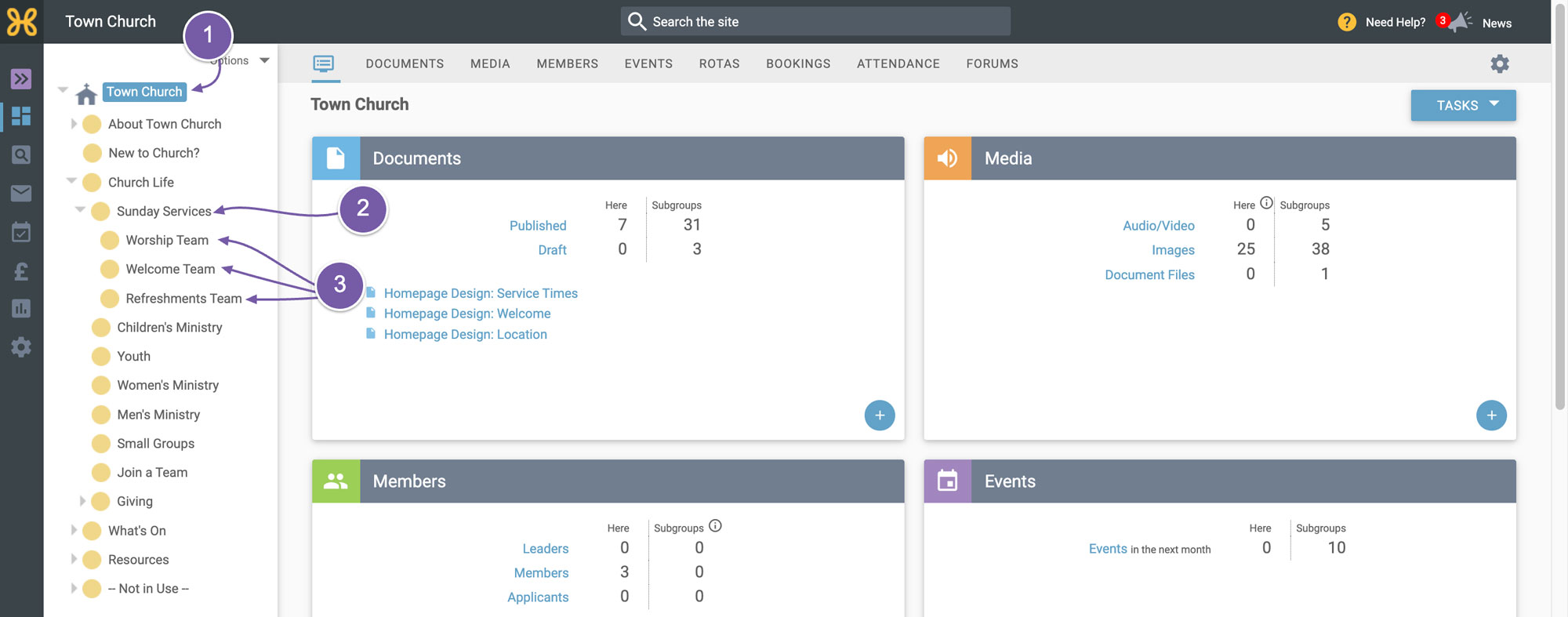
For this example we will consider someone serving on a Sunday service Rota. In the context of Sunday services, you may have many roles being assigned to people and have various teams, like the worship team, welcome team and refreshments team. If you delegate out your Rotas to the heads of the teams, the last thing you want is to have each team leader able to edit a master Rota that other teams are editing as well and run the risk of people making mistakes and affecting the whole Rota.
-
You may notice under my “Sunday Services” group that we have added a subgroup for the three teams we have just mentioned. Again, our advice is to put your Rotas in these individual groups.
Do watch our next video on
how to create your first Rota.