Which pages you need to personalise first
(3 minutes)
Here is a quick introduction to help you identify which pages you will want to change first in order to show other people and replace the generic information with your own church details.
Sorry, your browser is unable to play this type of file.
You can still
download it
Your trial site comes with pre-filled content that is not specific to your church and we recommend watching this video to help you find the key areas that you will want to personalise. Many people who take on a trial site work on the sites before showing other people in the church, the leadership or a committee that will be approving the go-ahead of the new site, so it's important to take a few minutes and just tidy up some of the pages so that it makes more sense for people you show now and the public in the future.
The first thing to mention is that we have written page content that is in a warm friendly and a consistent style. It makes sense for many churches to use this as a base for their own content. You can keep any part of it and tweak it to fit your needs or you can remove all of it and write it all yourself. Using our previous videos for
editing pages and adding images and
links you will be able to go in and personalise all of the pages you need to. You should be able to delete, reorder and change the names of the groups.
The pages that you will want to edit now are:
-
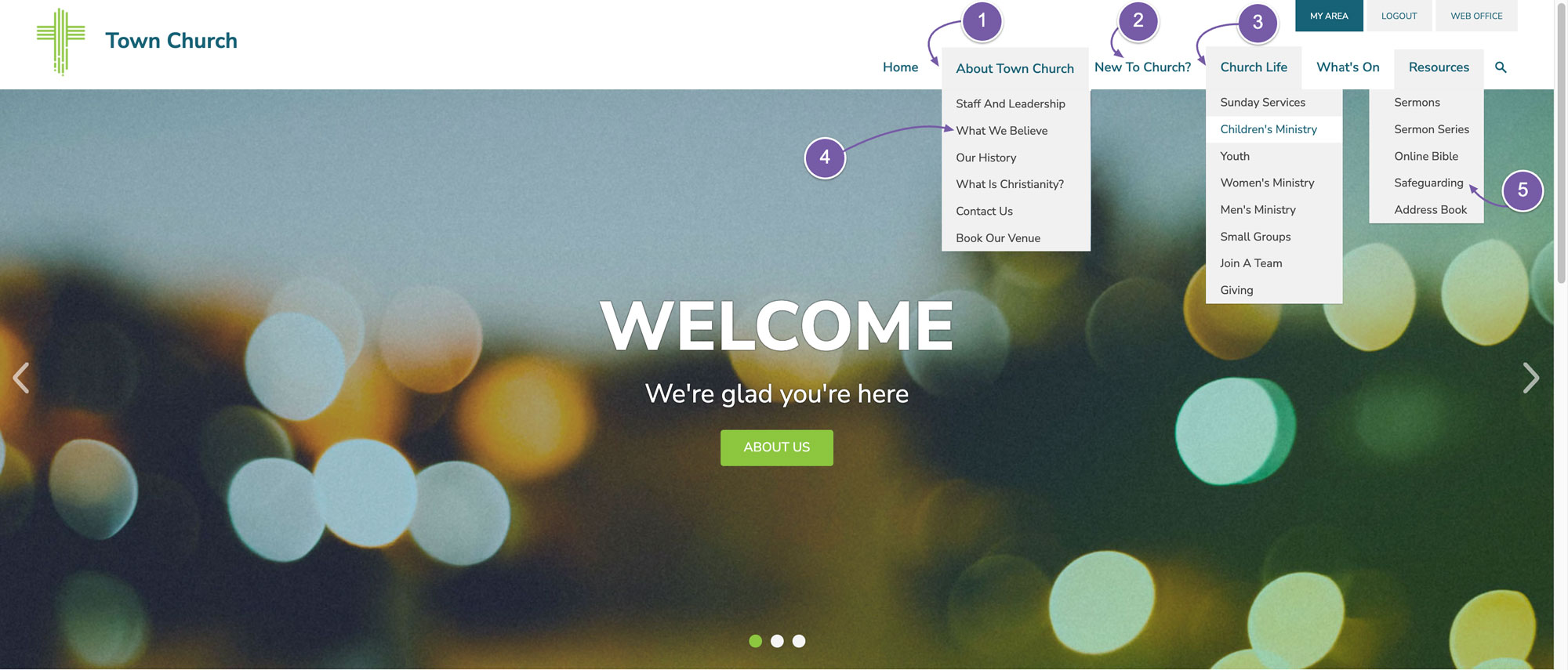
“About Us"
-
"New to Church”
-
All of the pages under “Church Life” - this is because these pages contain some dummy information or specific information that will likely vary from church to church. You don't have to make every page perfect now but it's worth making some slight tweaks to the text to make it suit your church and get a list of pages that you need to get information for in order to make them complete.
-
There are two pages that you should add to your list and get the correct information for and those are the "What We Believe" page
-
and the "Safeguarding" page.
Lastly the pages that we have specific guides for as they require a bit more thought and contain more items to edit are:
-
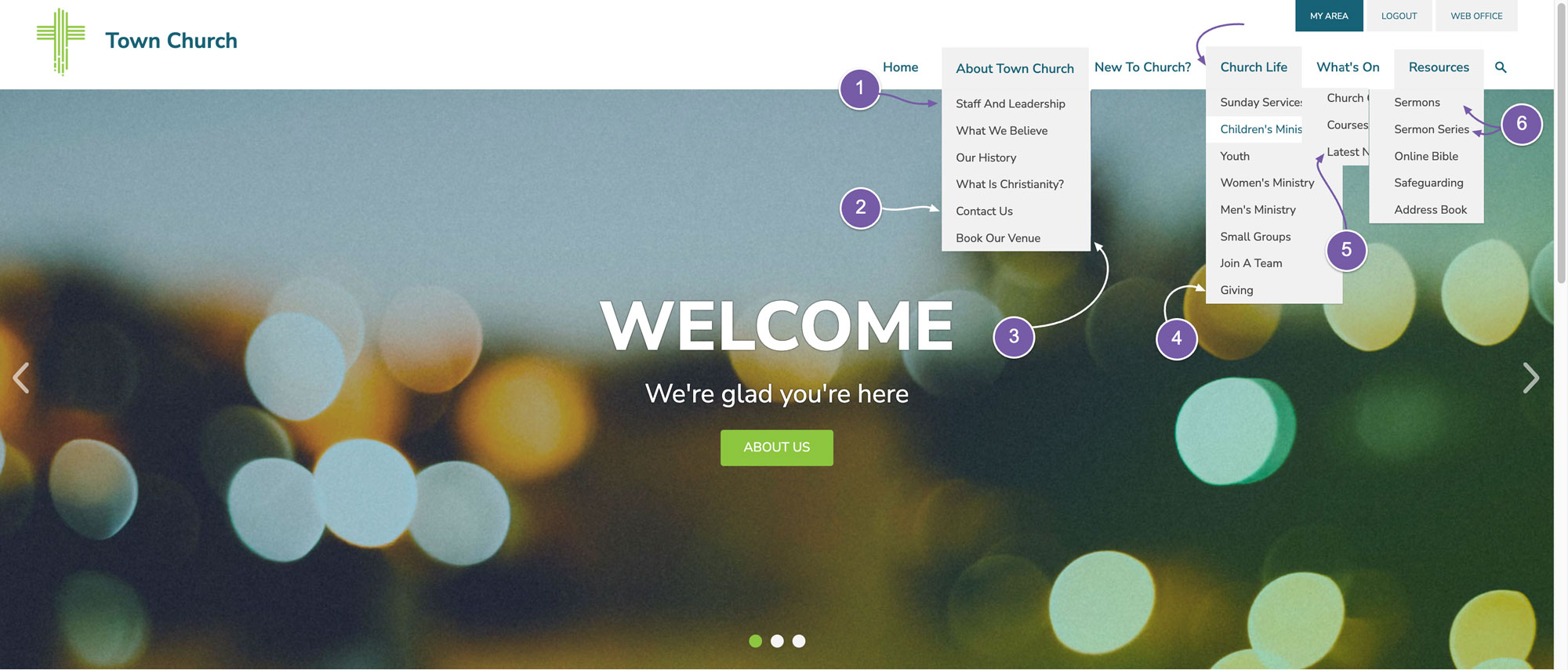
"Staff and Leadership"
-
"Contact Us"
-
"Book Our Venue"
-
"Giving"
-
"Latest News"
-
"Sermons" and "Sermon Series"
I hope this has been a helpful guide for you in what to tweak early on in your trial to help you personalise the site for your church.