Running Reports and Viewing Visits
Sorry, your browser is unable to play this type of file.
You can still
download it
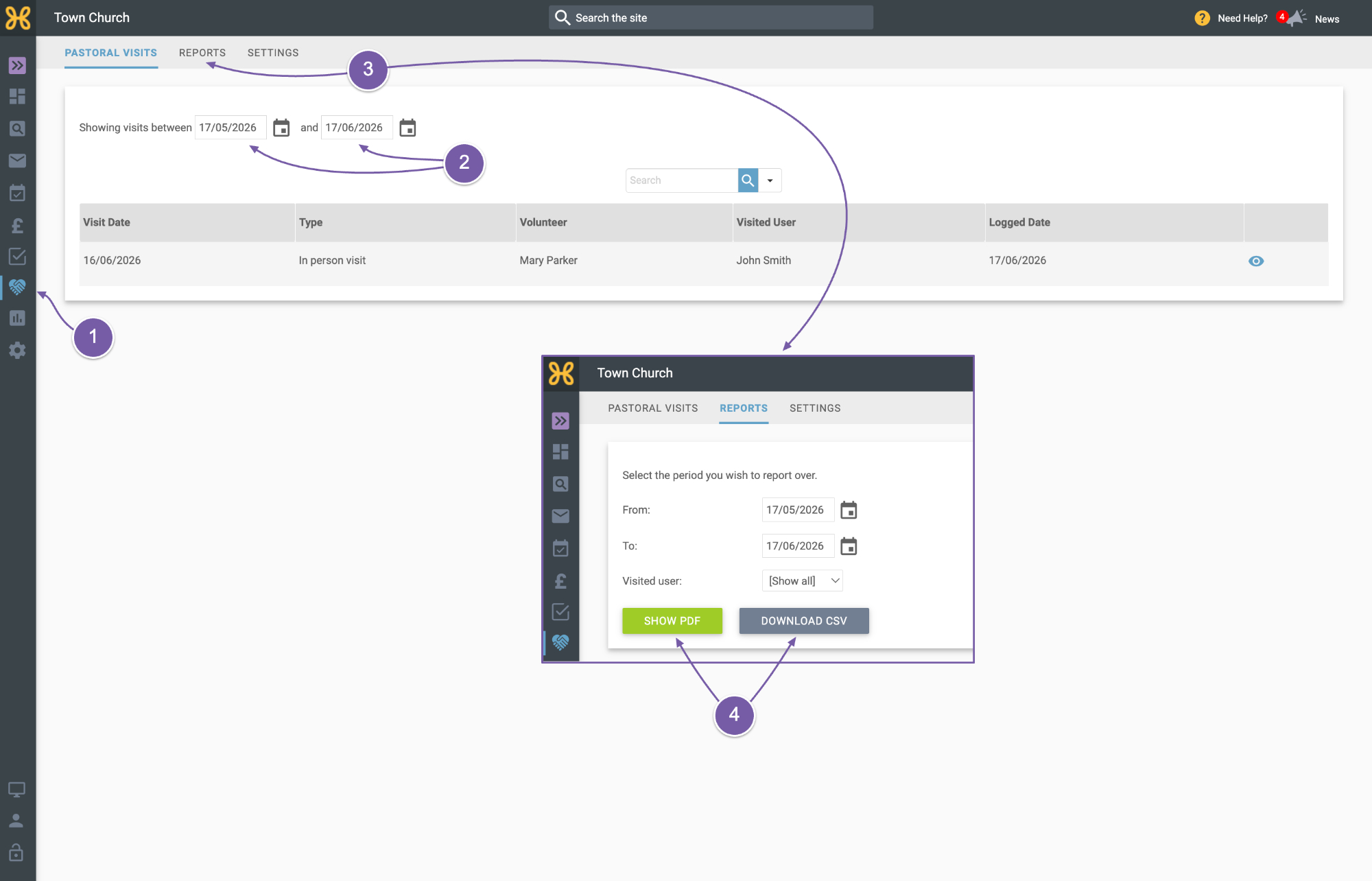
This is where you see everyone’s recorded visits. The List and Report sections in the church app only show your own visits, so use the web office to see visits other people have recorded.
-
Anyone with Pastoral visiting permission on the Root group (the top group in your group tree) can open the Pastoral Visiting area from the icon on the left menu. Can’t see the icon? Ask your site administrator for the permission; see adding permissions.
-
You can see all the recorded visits in this area and filter them by date.
-
You can also click on the reports section to filter your visits by date,
-
Show a PDF, or download a CSV.