Adding permissions
Sorry, your browser is unable to play this type of file.
You can still
download it
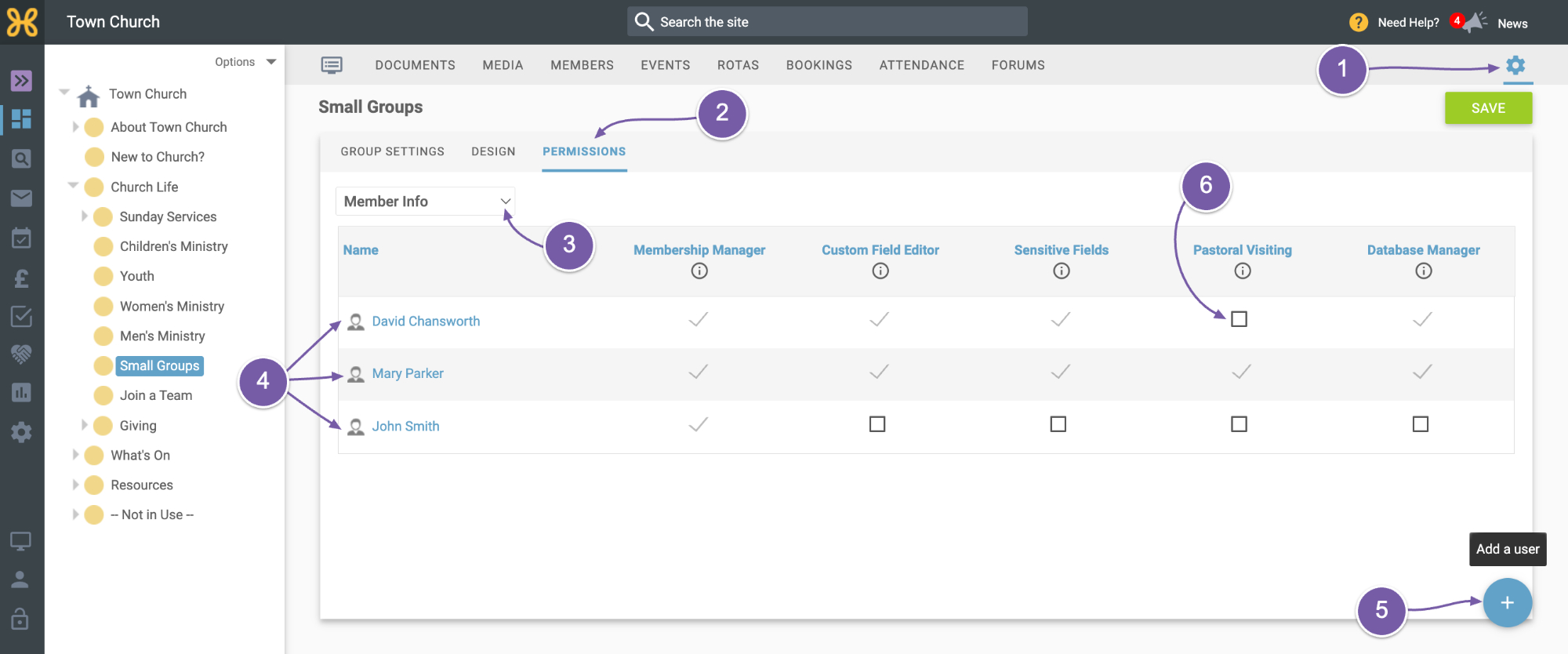
You can give Pastoral Visiting Permissions to any group by going to:
-
Group Settings
-
Permissions
-
And choosing "Member Info" from the dropdown.
-
You can give this permission to someone already on the list...
-
or add someone new who has not yet have permissions.
-
When you have added the person, tick the Pastoral Visiting permissions. Next time they log in, they will see this option become available.
It’s worth noting that anyone you give Pastoral Visiting permission to on the root group will be able to see and edit the Pastoral Visits menu item on the left, and they will be able to see and edit the settings.