How to update the DISCOVERY template
The DISCOVERY template uses two folders of images on the homepage, along with your latest sermons and events. You’ll find the images under the Media tab on the root group.
Use the right image sizes
Upload your images at the sizes given below. If they’re the wrong size, the homepage won’t display correctly for your visitors.
Slideshow images
The slideshow images live in the ‘Hero Slideshow’ folder, and you can add whatever images you need. The standard size is 2000 pixels wide by 750 tall. They can be taller if you like, but keep them all the same height, or you’ll get a grey band under the shorter ones. There’s a guide to uploading an image if you need it.
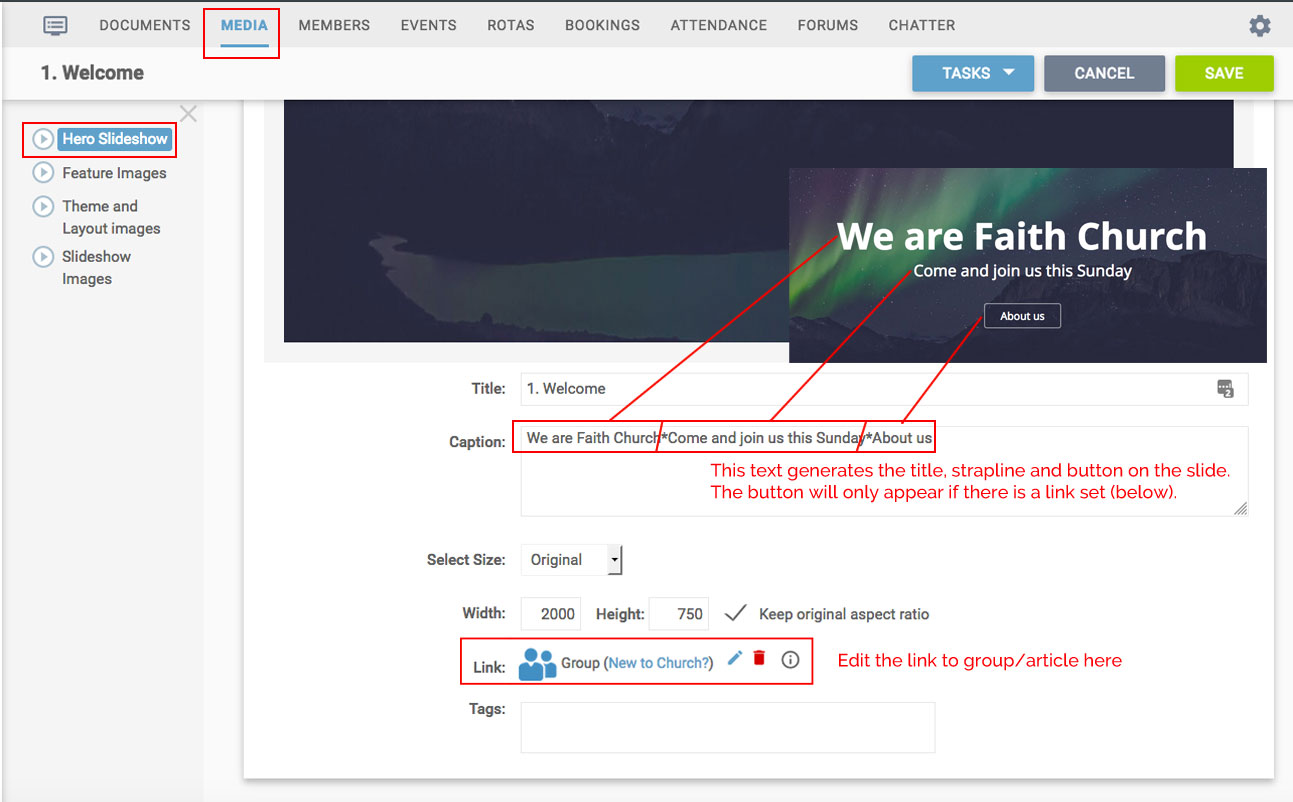
The caption on each image sets its text and its button. The parts are separated by asterisks: the first is the title, the second the strapline, and the third the button text. The button only shows if the image has a link, and there’s a guide to adding links if you need it.
Feature images
The smaller images at the bottom of the homepage come from the ‘Feature Images’ folder, at 800 pixels wide by 400 tall (made larger than needed so you can reuse them elsewhere without losing quality). Add new ones and remove any you don’t need.
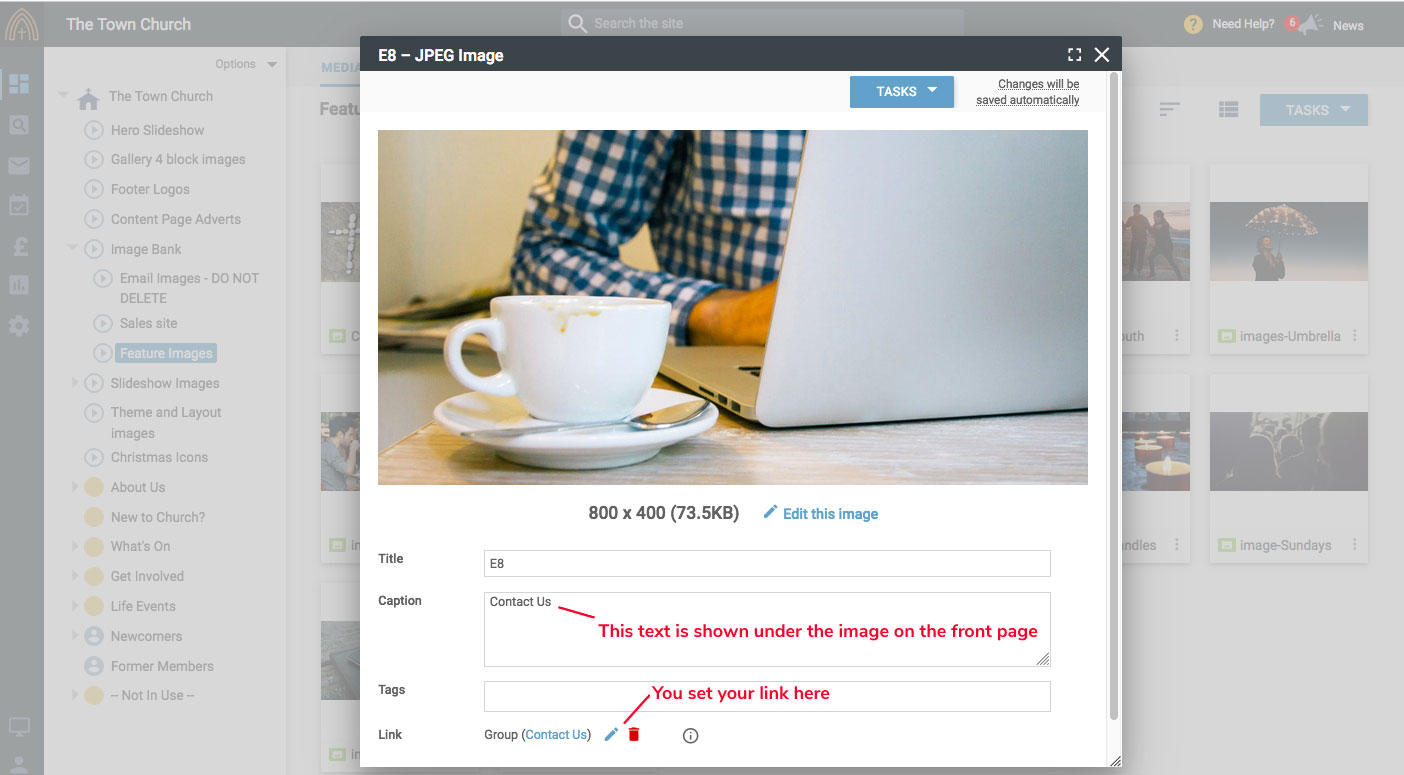
You can have eight images here (or more, in multiples of four), shown in alphanumeric order, so renumber them to change the order. The name shown under each image on the homepage comes from the caption field.
Latest sermons and upcoming events
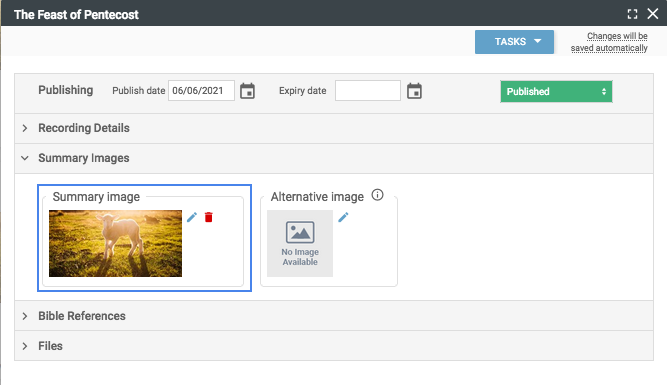
This section shows the last four media recordings and the next four events. If you add summary images to your recordings and events they’ll show here, otherwise they appear with the default coloured images.
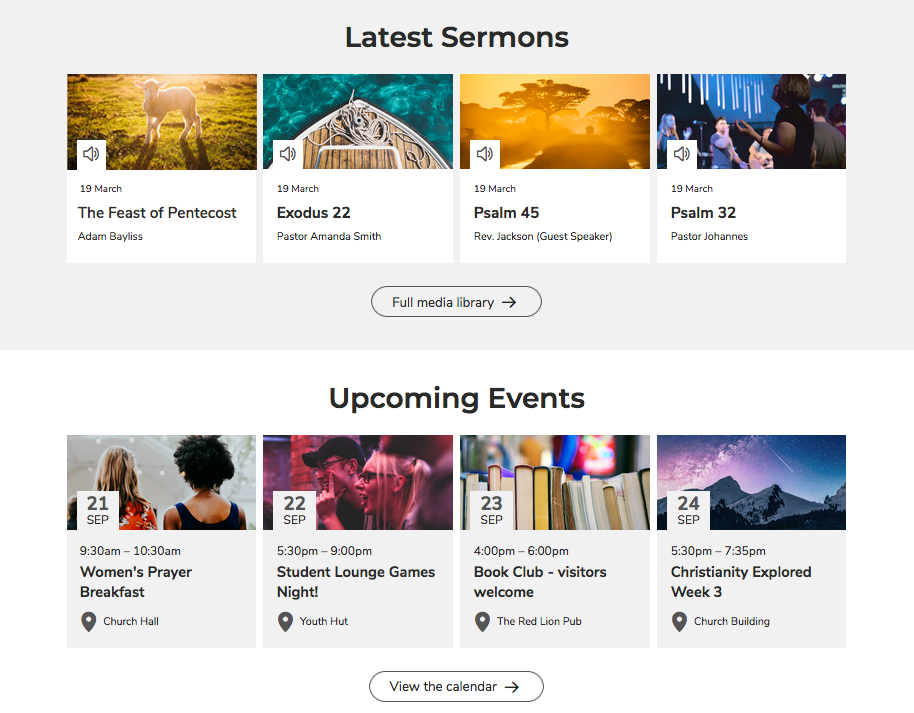
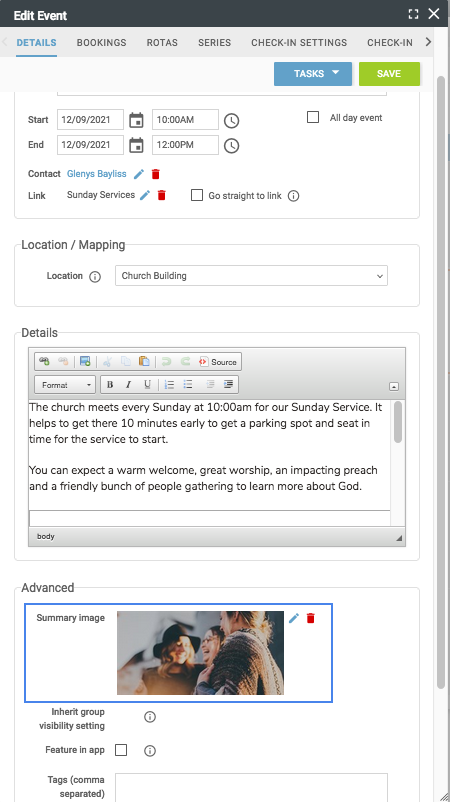
The recommended size for these summary images is 800 pixels wide by 400 tall. Add them under ‘Advanced’ for an event, and under ‘Summary Images’ for a recording.
Still stuck? We’re real people.
Raise a support ticket and our UK team will get back to you.
Contact support