How your giving page can work
(3 minutes)
An overview of the giving page that your Hubb website comes with.
Sorry, your browser is unable to play this type of file.
You can still
download it
We want to show you how we have set up the default “Giving” page that comes with your trial.
-
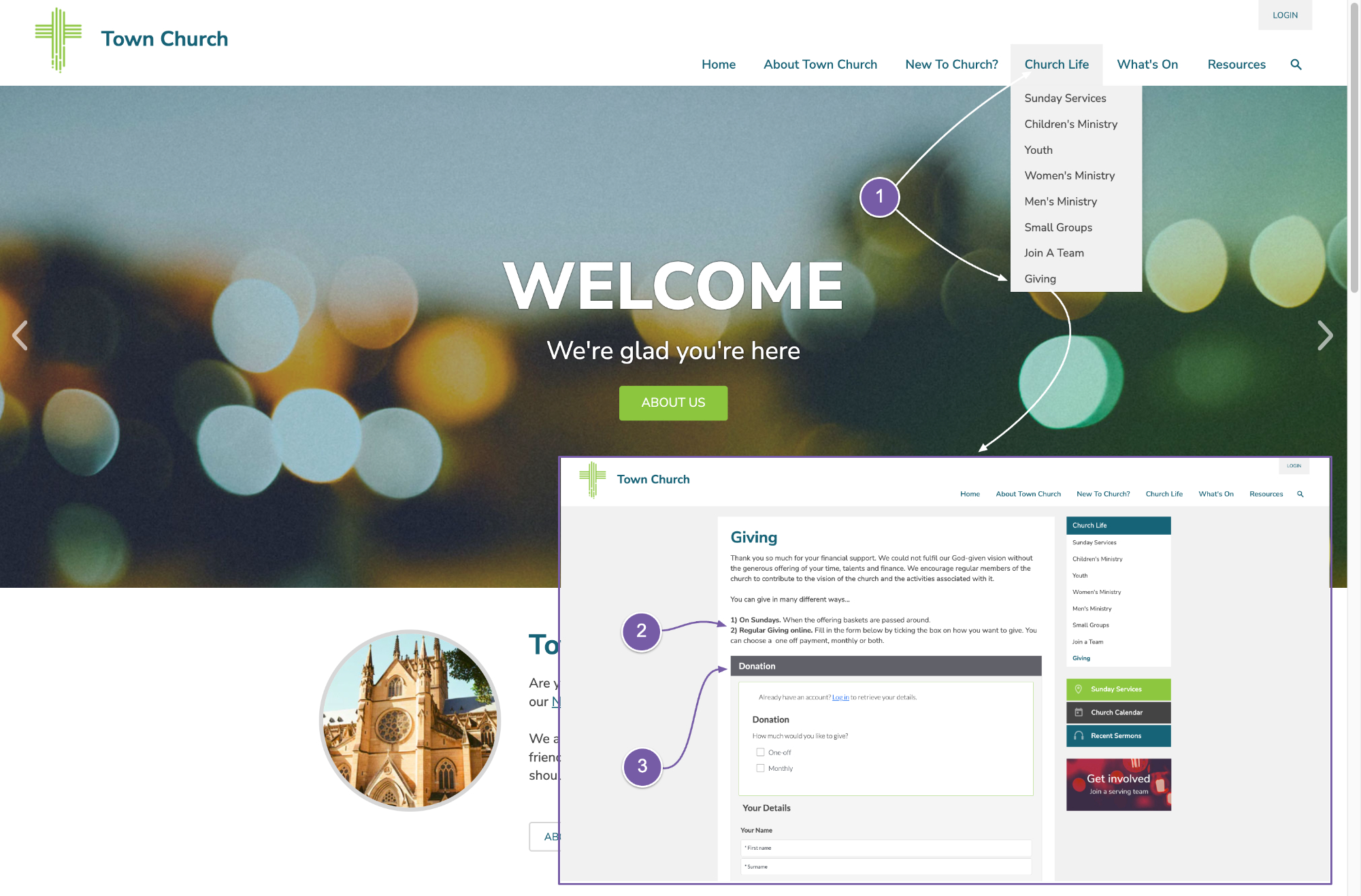
On your website, at the bottom of the “Church Life” menu you will see the “Giving” page link.
-
If we go to that page, you can see some general text that we’ve added about giving, and listed a couple of giving options.
-
This is followed by our donation widget that allows people to donate to the church, there and then, on your website.
To give you a bit of information about our giving solution, there are a few things that we'd like to bring to your attention.
-
Firstly, as we just mentioned, people can give on your site on the one page – there is no taking people away to a third-party website, or filling in multiple pages of information.
-
Our processing fees are extremely low compared to other services – just check out our pricing page for details.
-
People can give a one-off donation and also set up a recurring donation to the church.
-
The form captures the Gift Aid declarations and our system integrates with HMRC so you can easily get 100% of your Gift Aid processed quickly and have the money sent directly to your bank account.
-
We do not charge anything for the Gift Aid submission feature, and you can process donations to Gift Aid as often as you like, to keep your cash flow ticking over.
-
The widget works really well on phones, especially our app. If members are logged in to the site, they can easily get their giving history and information.
-
All of the data is integrated with your members’ database, so you can see who gave what, when.
-
Lastly, in regards to our giving system, you can even import your bank statement data or Sunday offering data into your Hubb site, so it has all of your giving data in one place. Then you can claim Gift Aid on everything though our system.
-
It may be worth speaking with your Treasurer about what we offer and seeing if it can help your church.
Back to the "Giving" page - we know that you may want to add more information about giving, and also add more ways people can give.
-
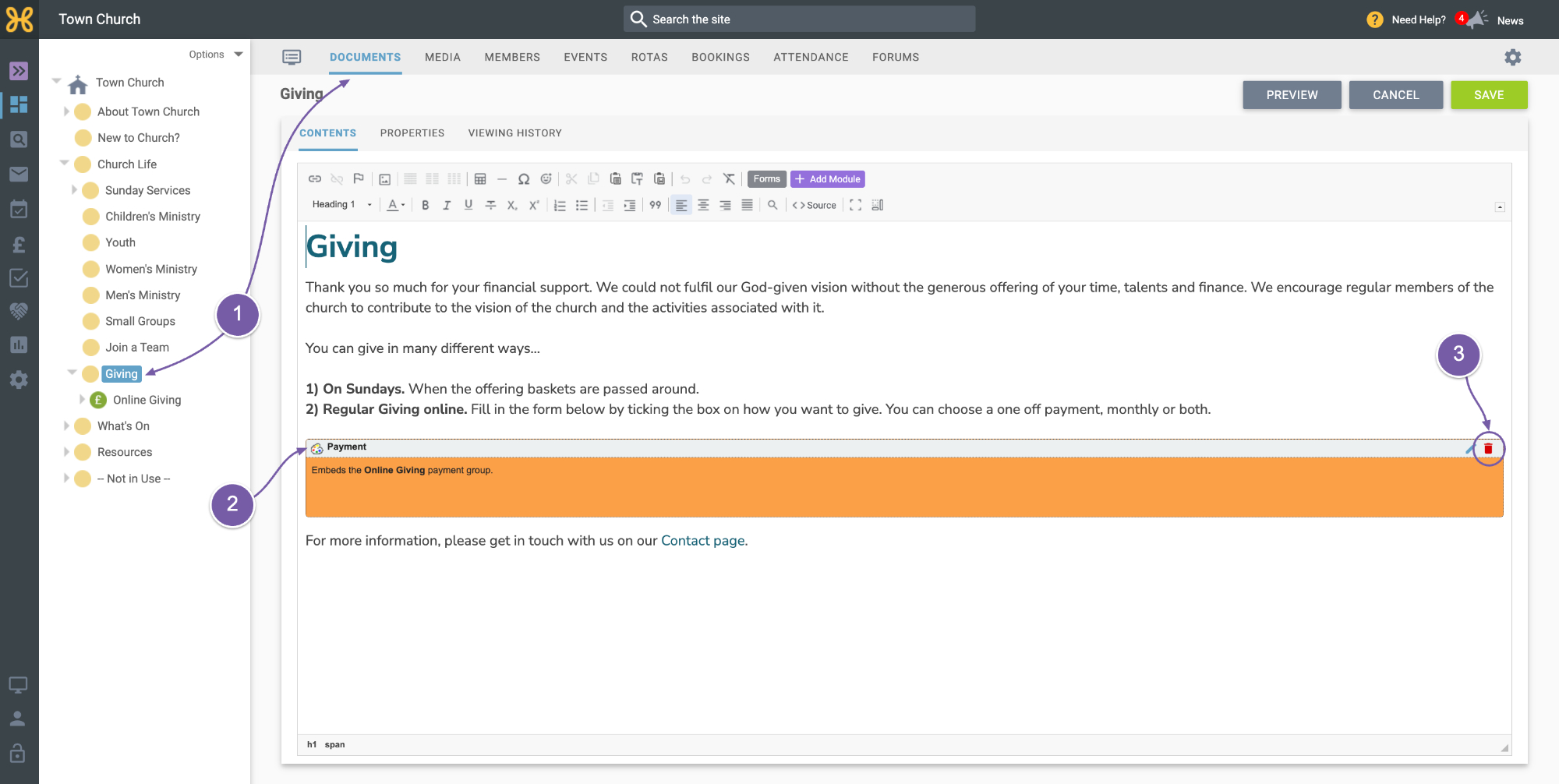
You can easily go into this article in the Web Office and edit that text. If you want, you can upload a PDF standing order form and then link to that in this article as well.
-
If you do want to use our giving system that you’ll need to sign up for a processing account, which you can do quickly and easily all online in our system – and we have a guide for doing that later in this Launch Guide.
-
If you don’t want to use our giving widget, then you can just click on the red bin icon on the module in the article to remove it. It’s really easy to add it back later if you need it.