Tip - Add your own Custom Fields
Sorry, your browser is unable to play this type of file.
You can still
download it
You can easily add your own fields to the pastoral visits area. To do this:
-
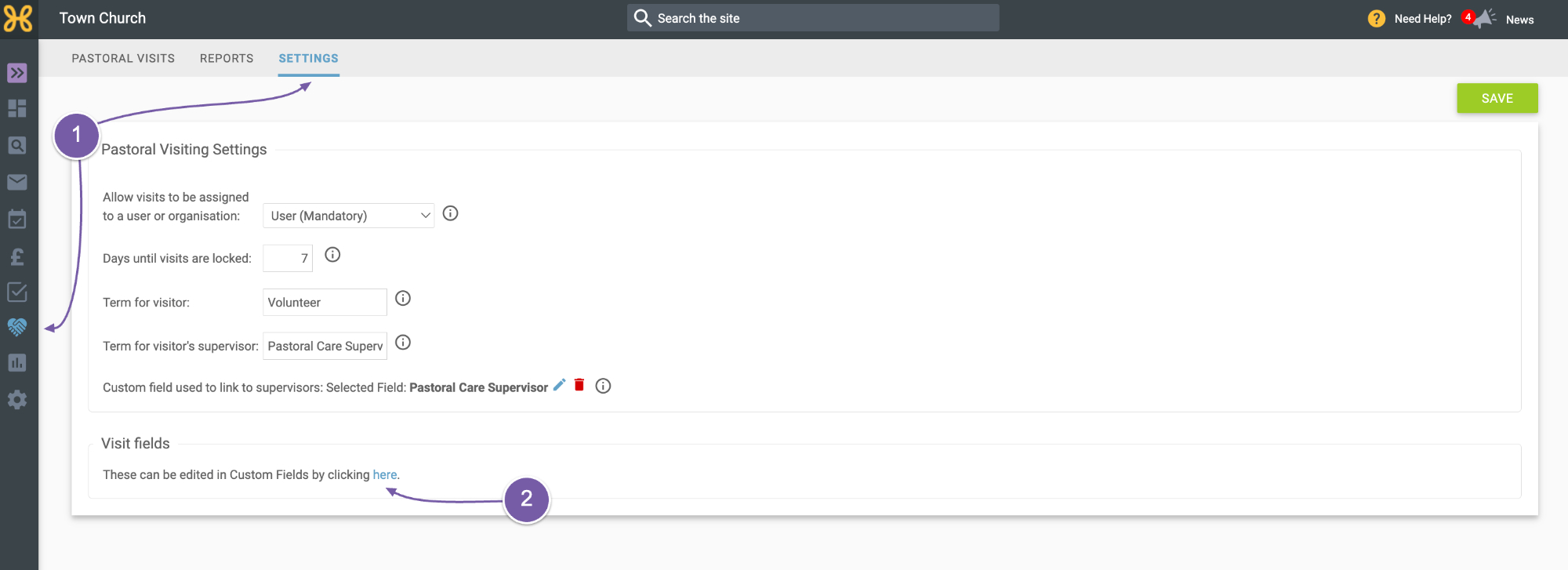
Go to your Pastoral Visiting Settings
-
Click the link to view or edit the fields.
-
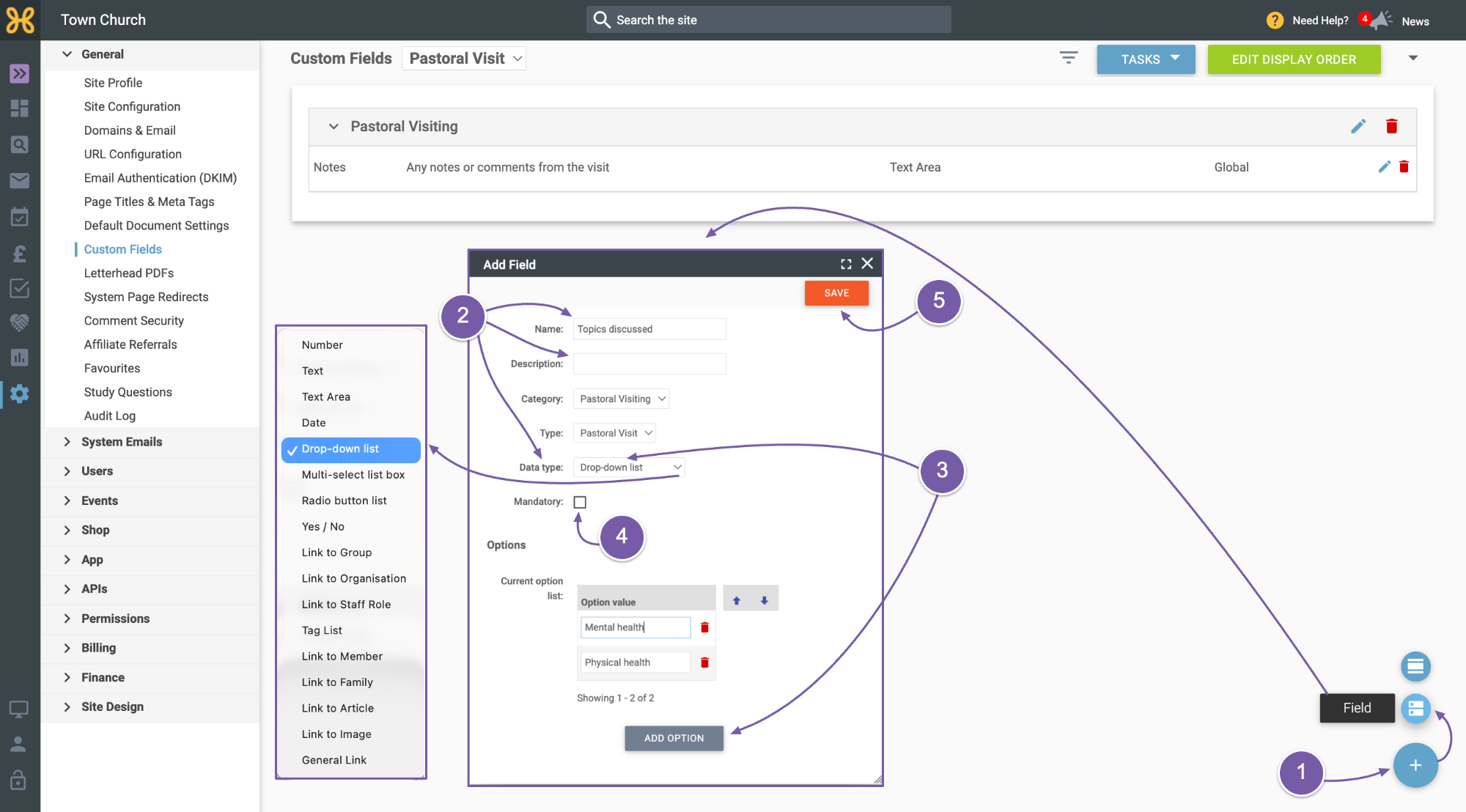
Next, click the blue plus icon at the bottom right and select ‘Field’.
-
Here you can give the custom field a name, description and choose the data type. Have a look at the list to see what you can add.
-
In this example, we will use a drop-down list and then add a couple of options.
-
You can choose this field as mandatory.
-
When you are done, click ‘Save’.
-
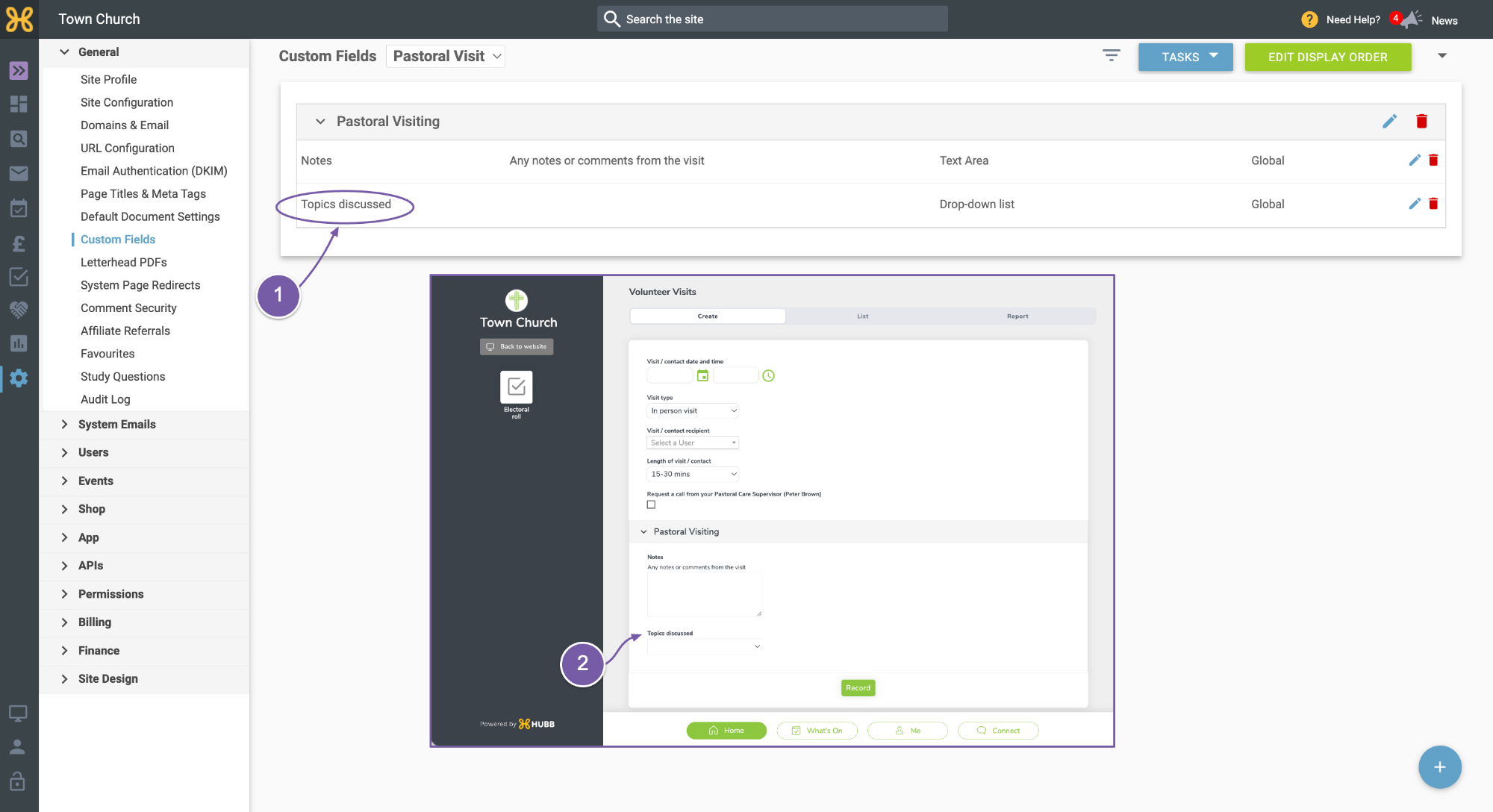
The new custom field is visible in your list
-
And it will also be there when you record a visit.