Record, Edit and Report on your Visits
Sorry, your browser is unable to play this type of file.
You can still
download it
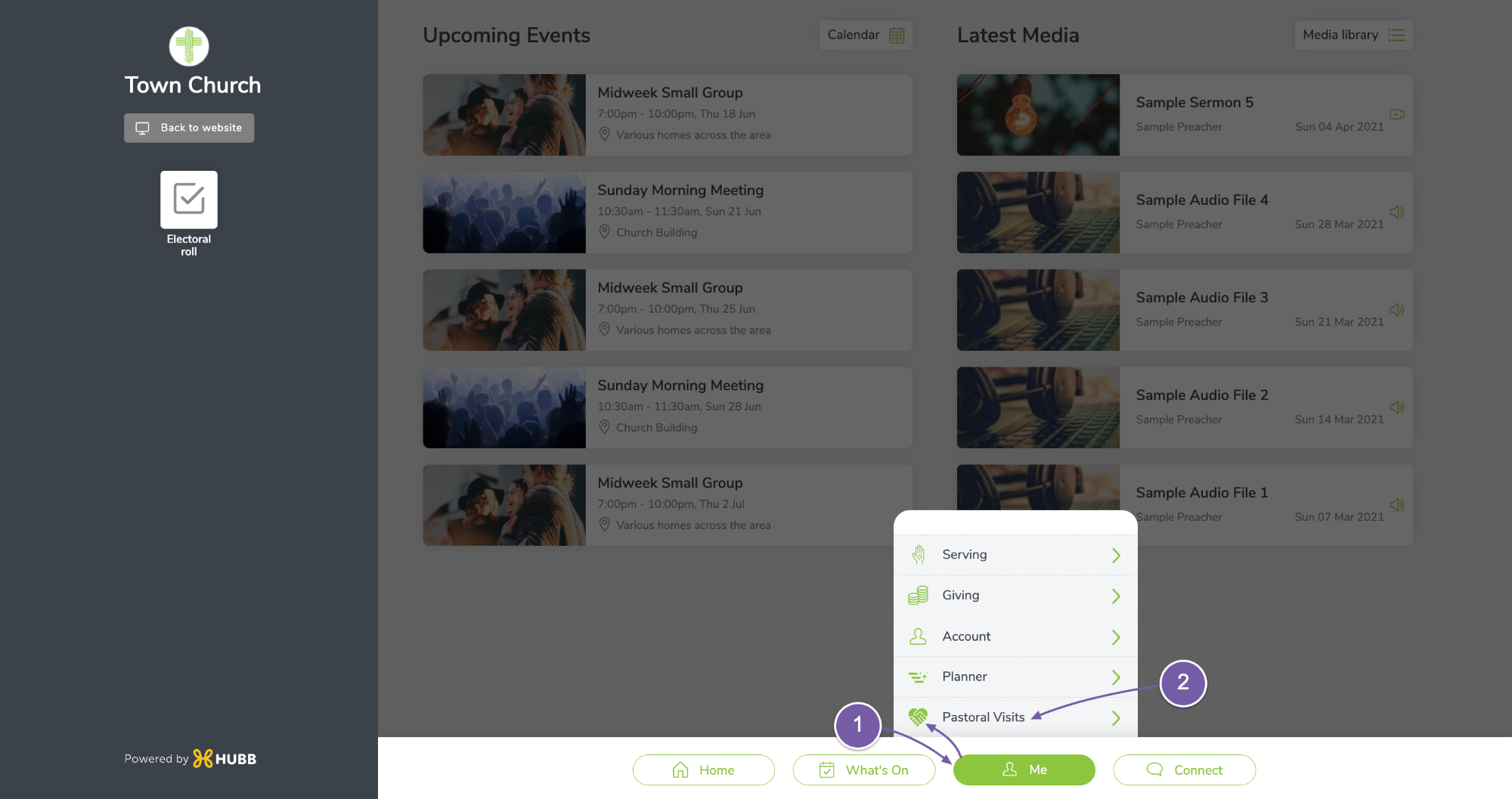
To record a visit, go to your website address forward slash ‘app’.
-
Then, under the ‘Me’ menu, you will see the Pastoral visiting icon.
-
Click on Pastoral Visits.
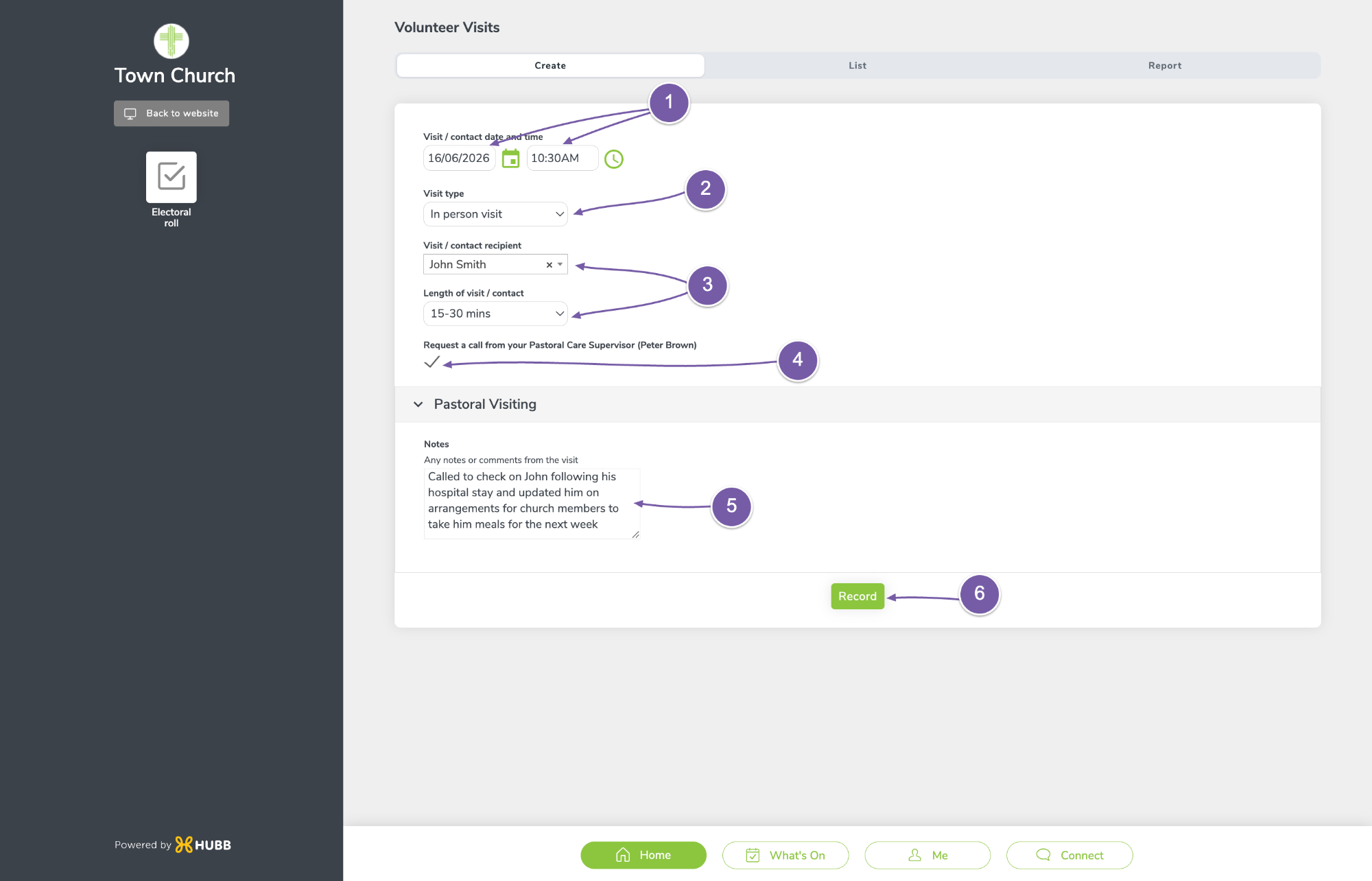
You will be taken straight to the "Create" a visit section.
-
Add the date and time of the visit,
-
The visit type,
-
Who did you meet, and for how long,
-
If you need to flag the visit with your pastoral care supervisor, tick the box, and they will get an email notification letting them know.
-
Finally, enter any notes about the visit. These notes will only be visible to people with permission for pastoral visits.
-
To save it, click Record.
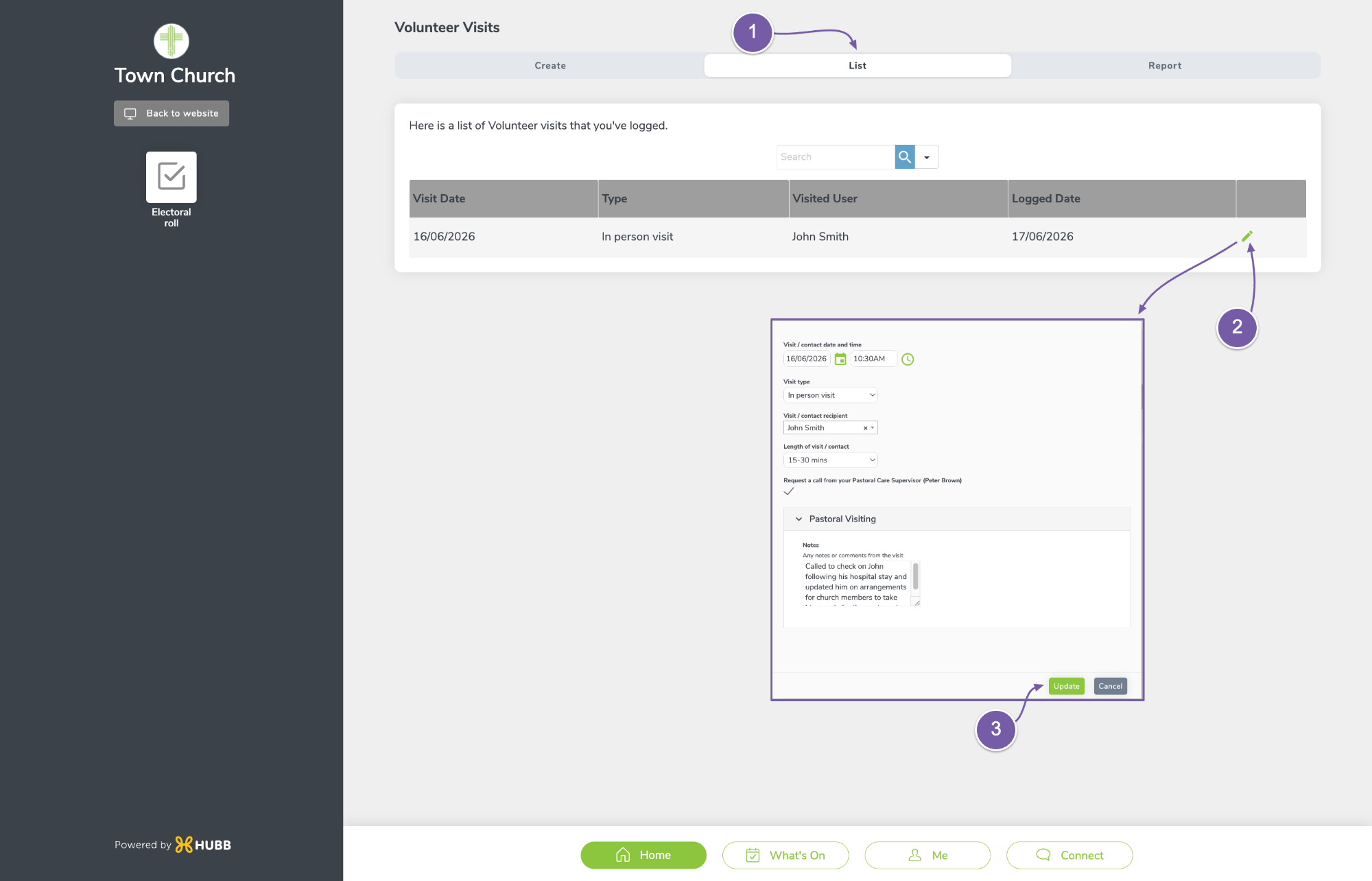
To edit a visit:
-
Go to the List section at the top, where you will see a list of your visits.
-
If you are within the time the church has set for you to edit visits, click the pencil icon and edit your visit.
-
Click "Update" to confirm your edit.
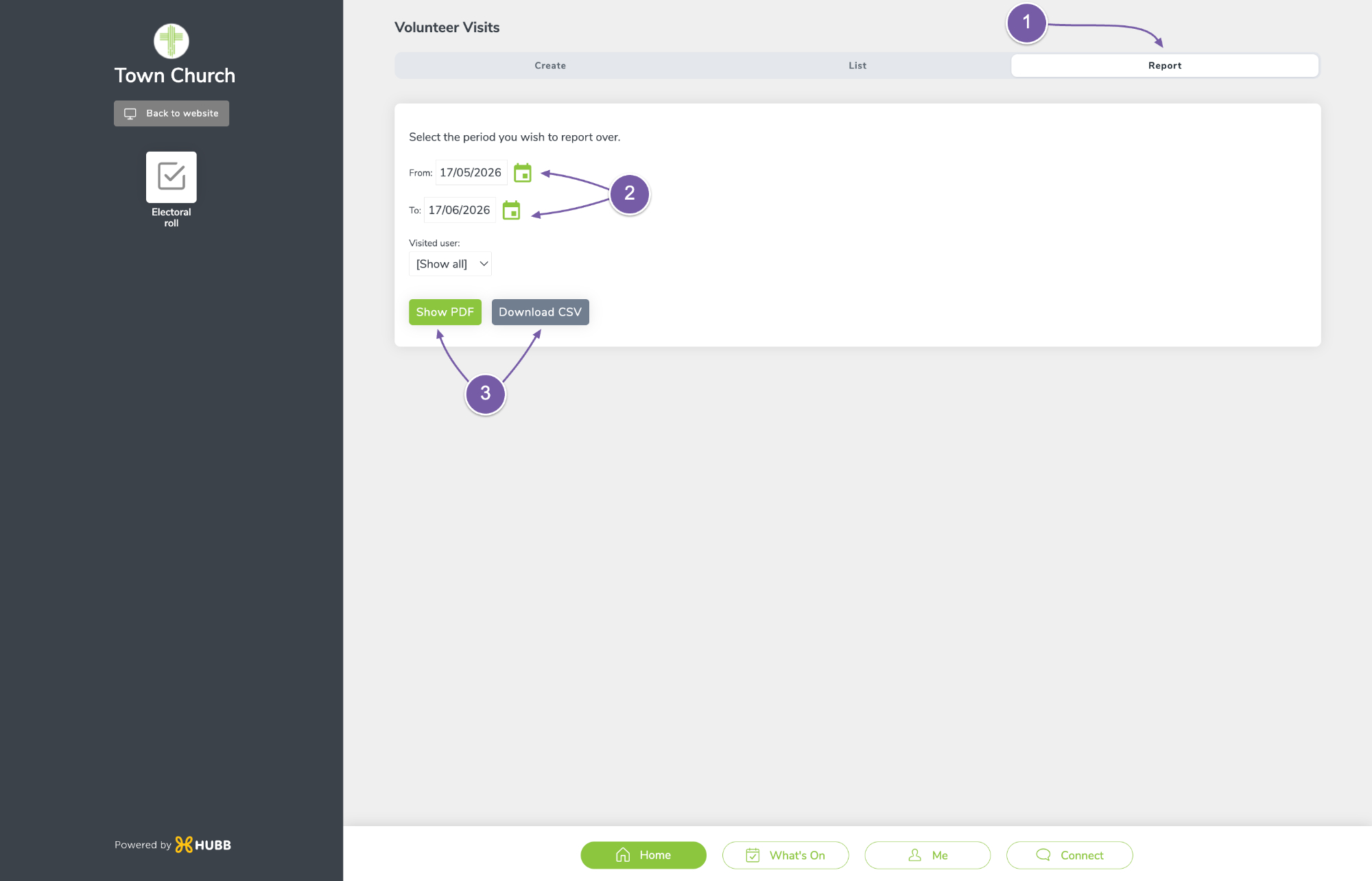
If you would like to run an activity report on your visits:
-
Click on the Report section at the top.
-
Select the dates you wish to report on
-
Then choose to show a PDF or download a CSV.