Setting the Pastoral Care Supervisors
Sorry, your browser is unable to play this type of file.
You can still
download it
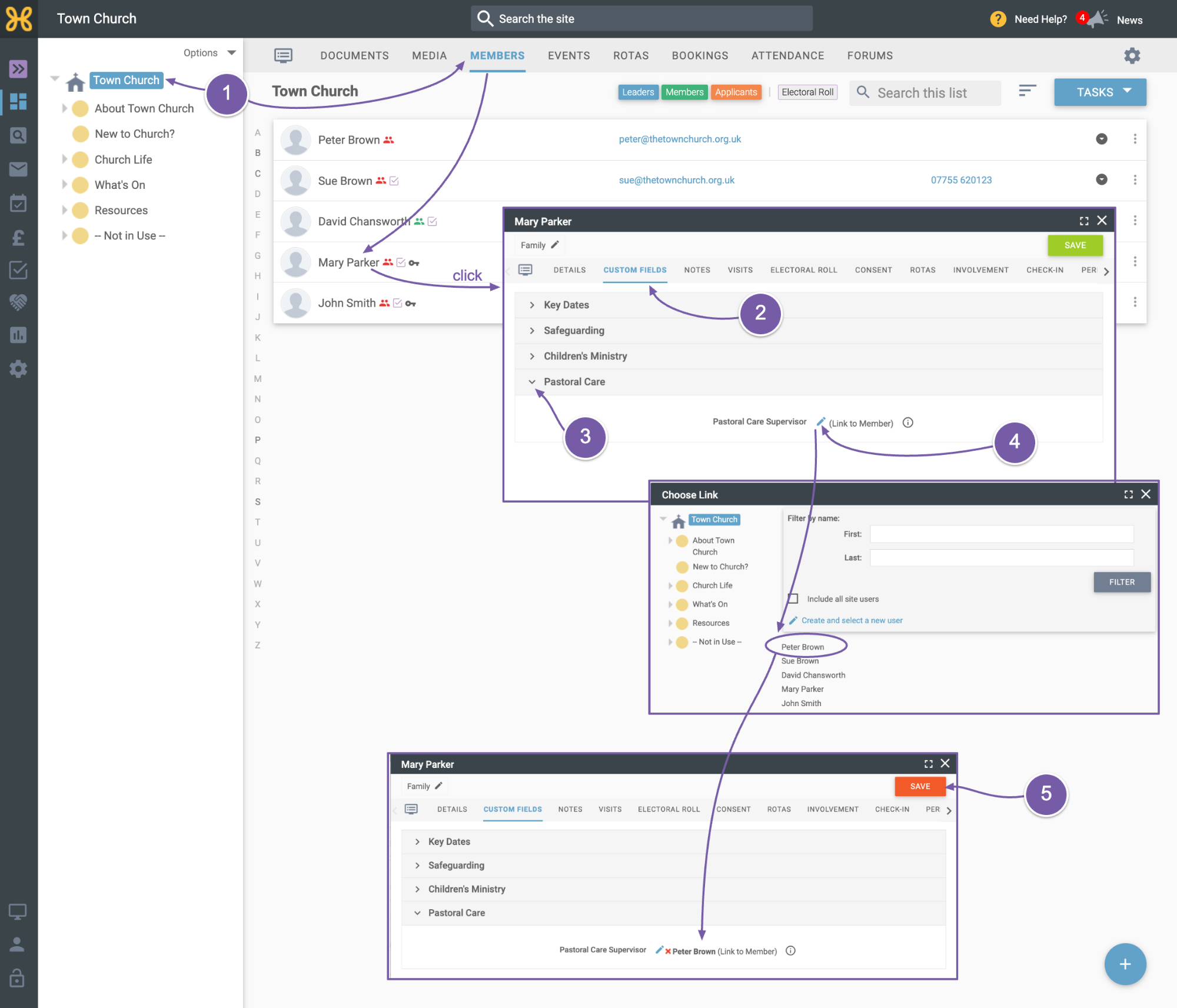
To set someone's pastoral care supervisor:
-
Navigate to their user record
-
Click on custom fields
-
Then open "pastoral care".
-
You can click to edit the pastoral care supervisor and select the person you want to be the supervisor.
-
Once you're done, click save.