Editing the settings
Sorry, your browser is unable to play this type of file.
You can still
download it
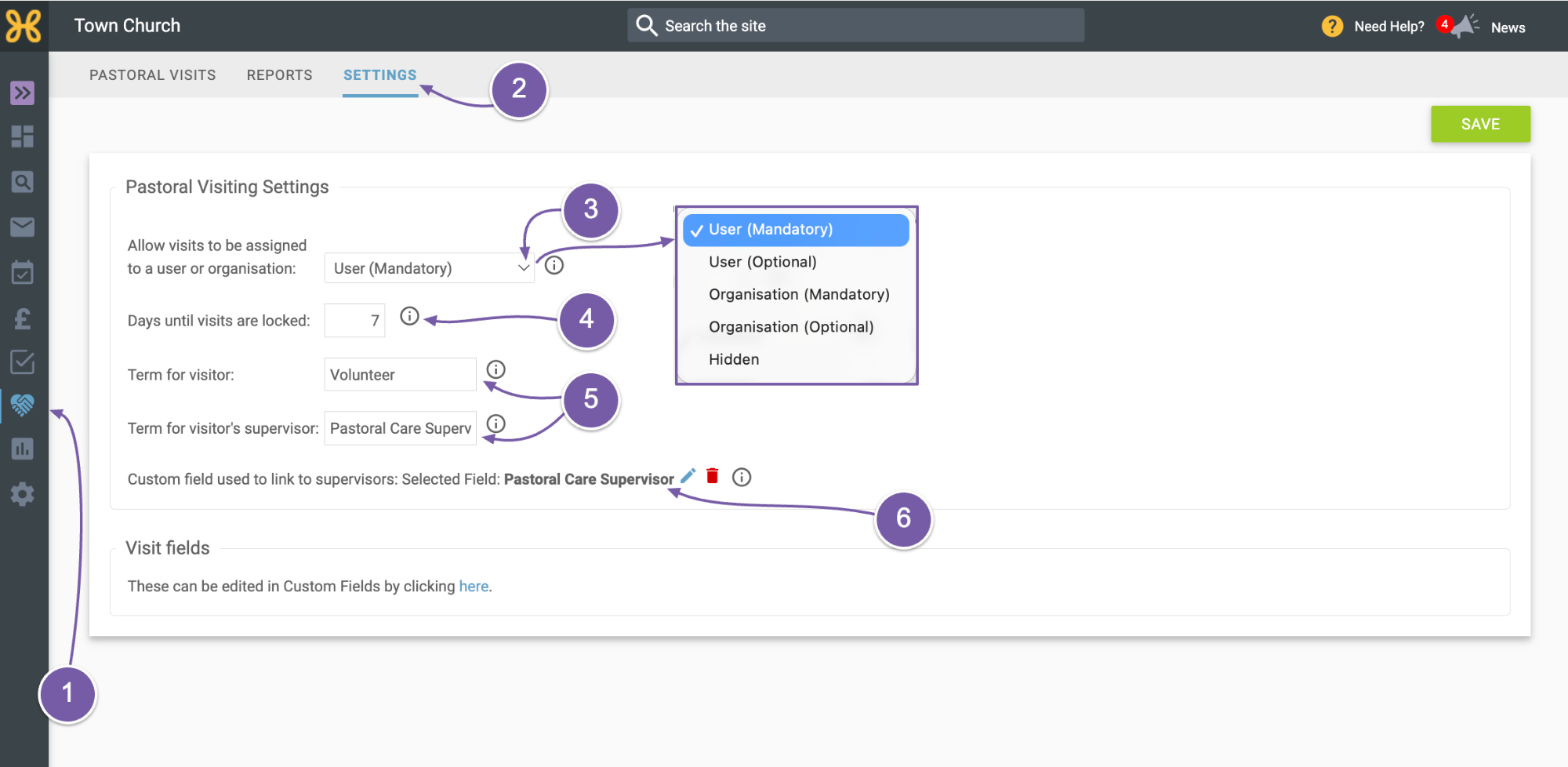
To get to the Pastoral Visiting Settings:
-
Click on the icon on the left-hand menu
-
Then click on the Settings tab.
-
Here, you can set whether you want visits recorded against people. You can set this to hidden so no contacts ever get recorded, optional, or mandatory. We think it’s best to make this mandatory so you can always know who met whom and when.
-
There is a setting to set the number of days since a visit was logged, after which it can no longer be edited.
-
You can also set the term used for the visiting person and the supervisor.
-
You will find the custom field all set up for the supervisor.