Helpful filters and query
Sorry, your browser is unable to play this type of file.
You can still
download it
-
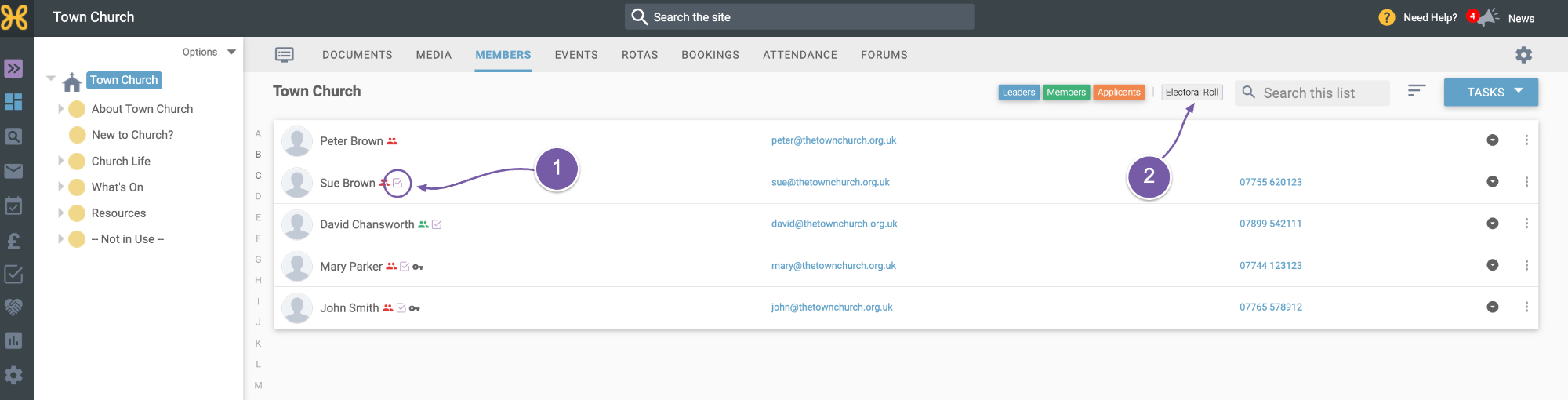
The first thing to look at is on the Members' tab, and you will see that anyone who is on the electoral roll will now have the "Electoral Roll" icon to show that they are on the electoral roll
-
There is also a new "Electoral Roll" filter which enables you to filter those who are, or are not, on the electoral roll.
-
For example, if you select all four categories - "Leaders", "Members", "Applicants" and "Electoral Roll" - this will display all the members.
-
If you 'turn off' the "Electoral Roll" filter, by clicking on it, only those people who are not on the Electoral roll will be displayed.
-
If you turn off the "Leaders", "Members" and "Applicants" filters, you will be left with those who are on the Electoral roll.
You can have a play with these filters to get the view that helps you get the information you need.
-
The next feature to look at is on the "Query" tab, and is based on helpful feedback we've received from users.
-
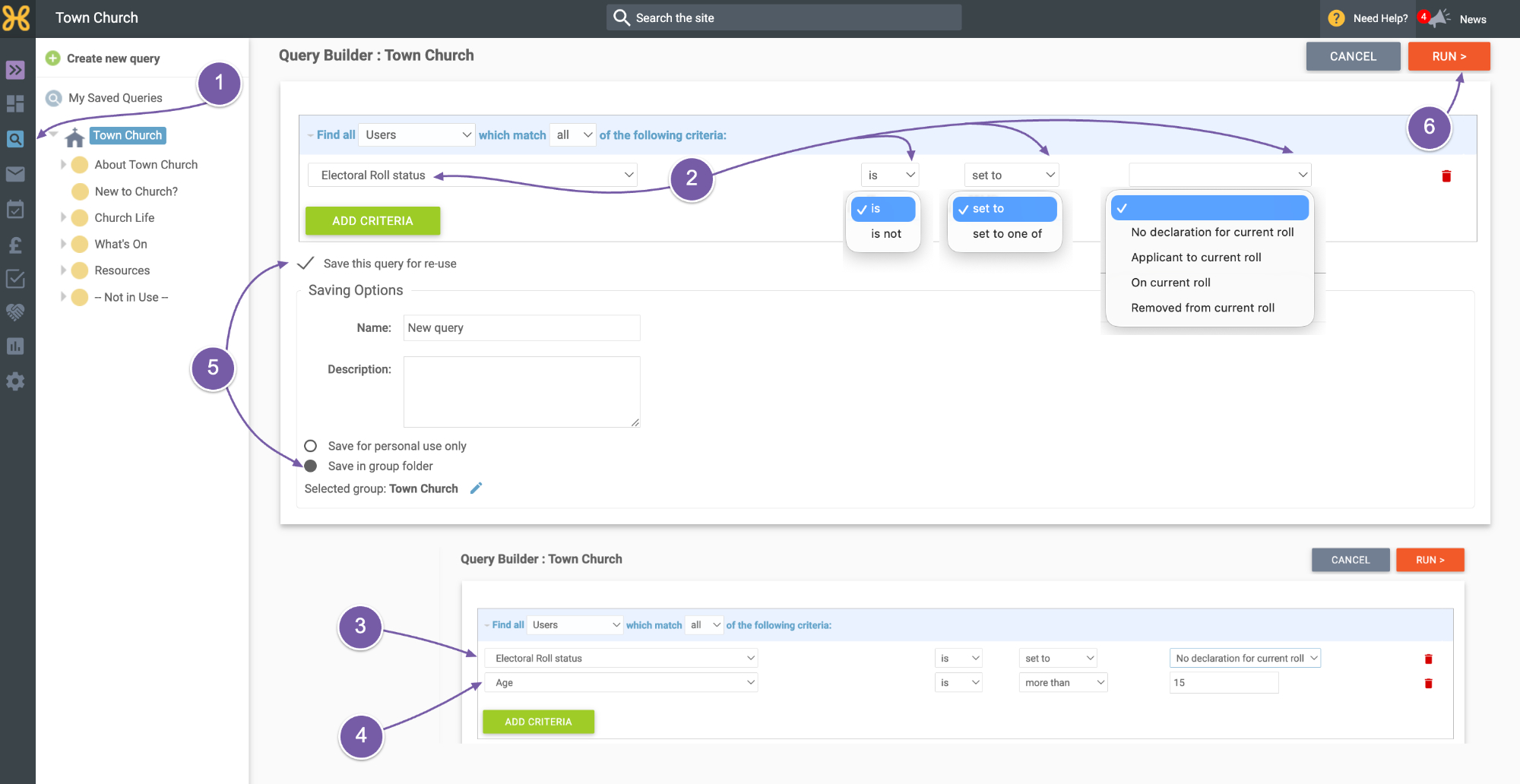
You can now query users and add criteria to query the Electoral roll status of your members
-
For example, you could query the people who don't have a declaration on your current electoral roll
-
You could also add criteria to exclude anyone aged under 16
-
You can also save the query in the Group if you want to, so you can re-use it later
-
Then "Run" your query to get a list of users who meet the criteria.
-
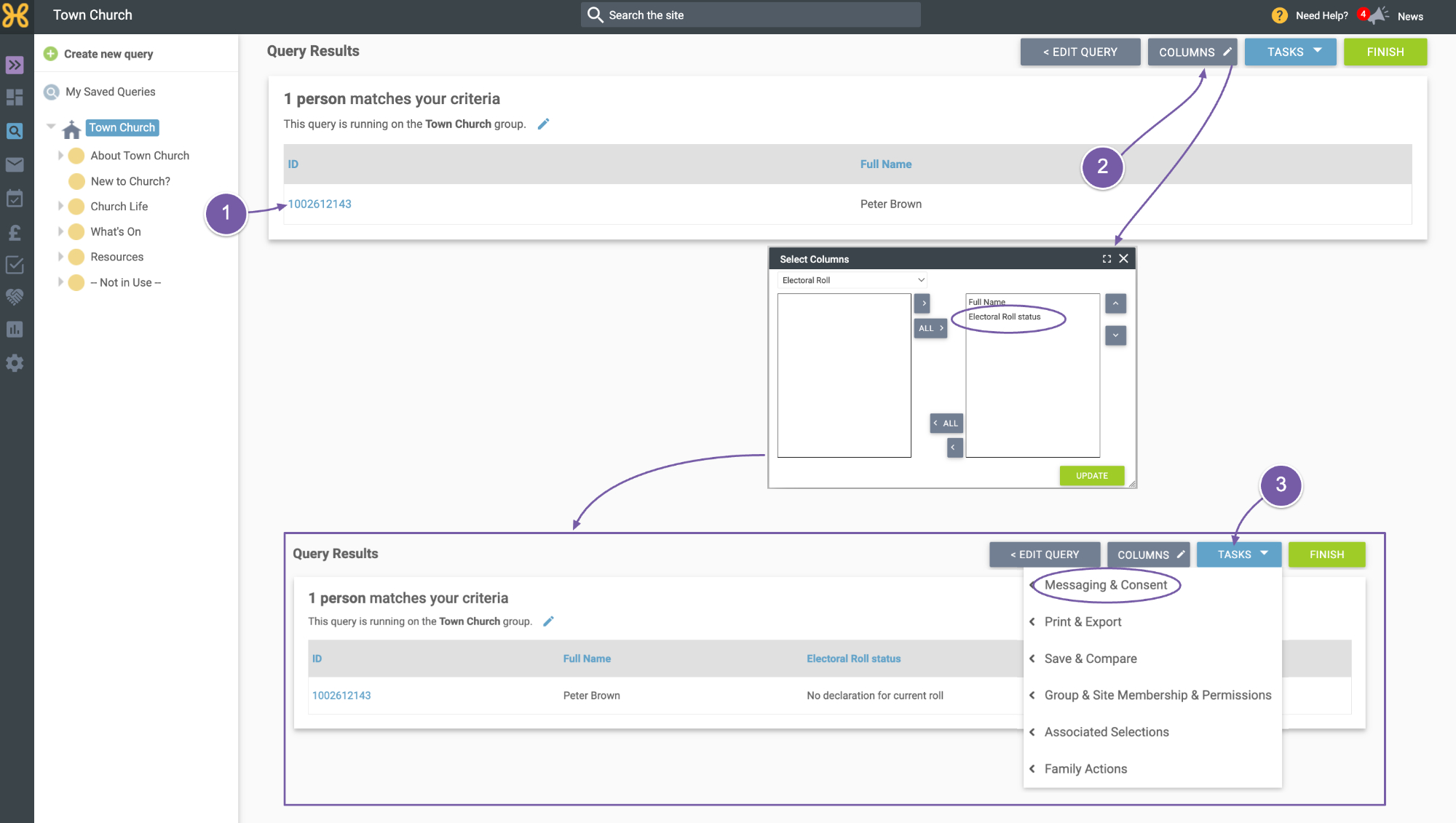
In this case, only one of our users is not on the current Electoral Roll
-
You can use the "Columns" to add other fields to your query results - such as "Electoral Roll status"
-
With "Tasks" you can send a mailing - perhaps a reminder to complete the Electoral Roll declaration by the deadline - and do various other things with the query results
We encourage you to have a play, see what's possible and, as always, if you need any help at all just get in touch with our support team on
support@hubb.church.