Running reports
Sorry, your browser is unable to play this type of file.
You can still
download it
We have ensured that we give you the reports you need for the processes you must follow. The following notes show you how to run these reports.
-
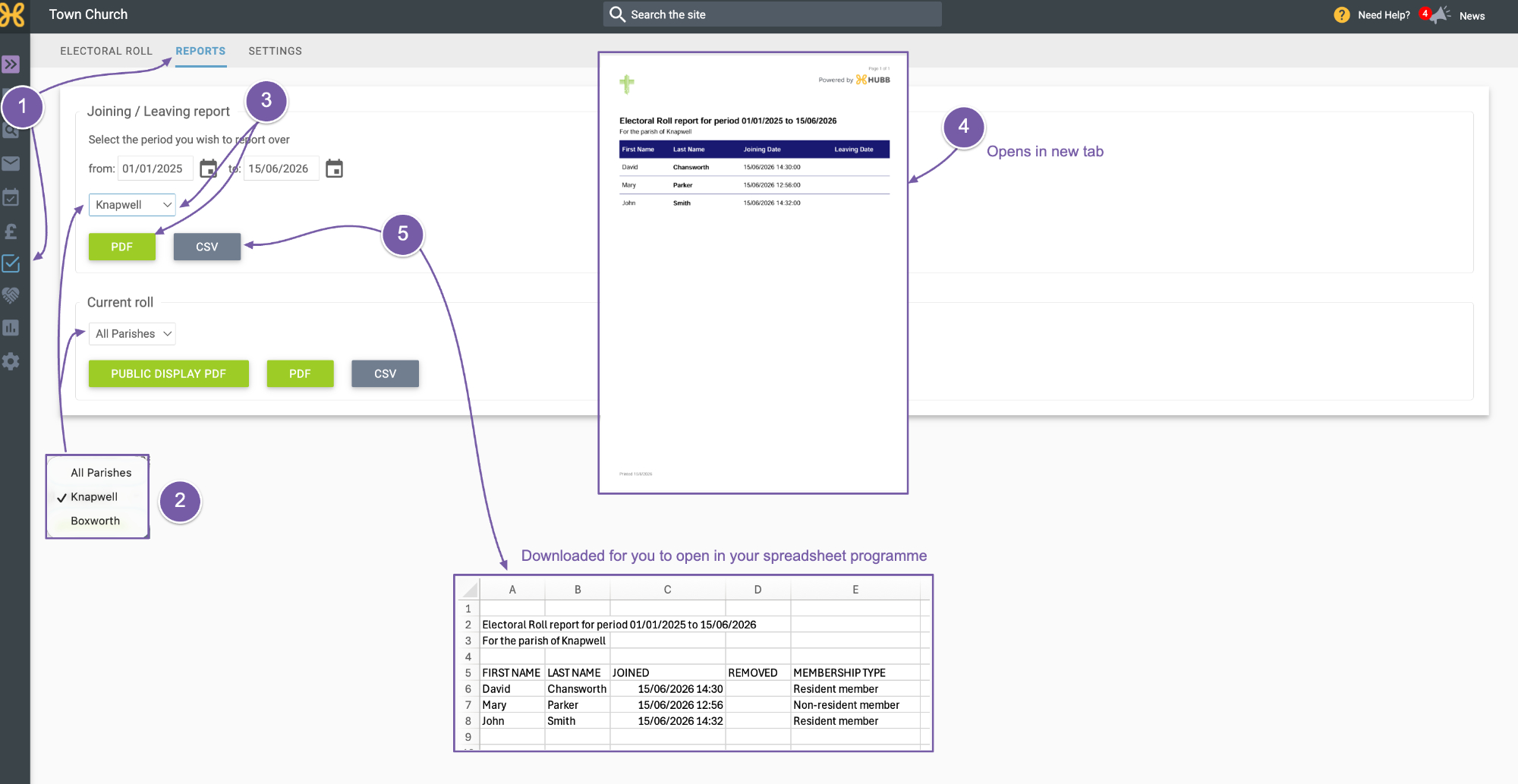
Start in the "Electoral Roll Reports" tab.
-
For anyone with more than one parish, all of the reports can be run on each parish and all parishes, as shown in these drop-downs.
-
The first report is the “Joining and Leaving” report. Select the option from the drop-down and click “PDF”.
-
You can expect PDFs to open in a new tab so you can save and or print them.
-
You can also generate a CSV of this report. You can expect the download box to appear and then you can open it in your spreadsheet programme.
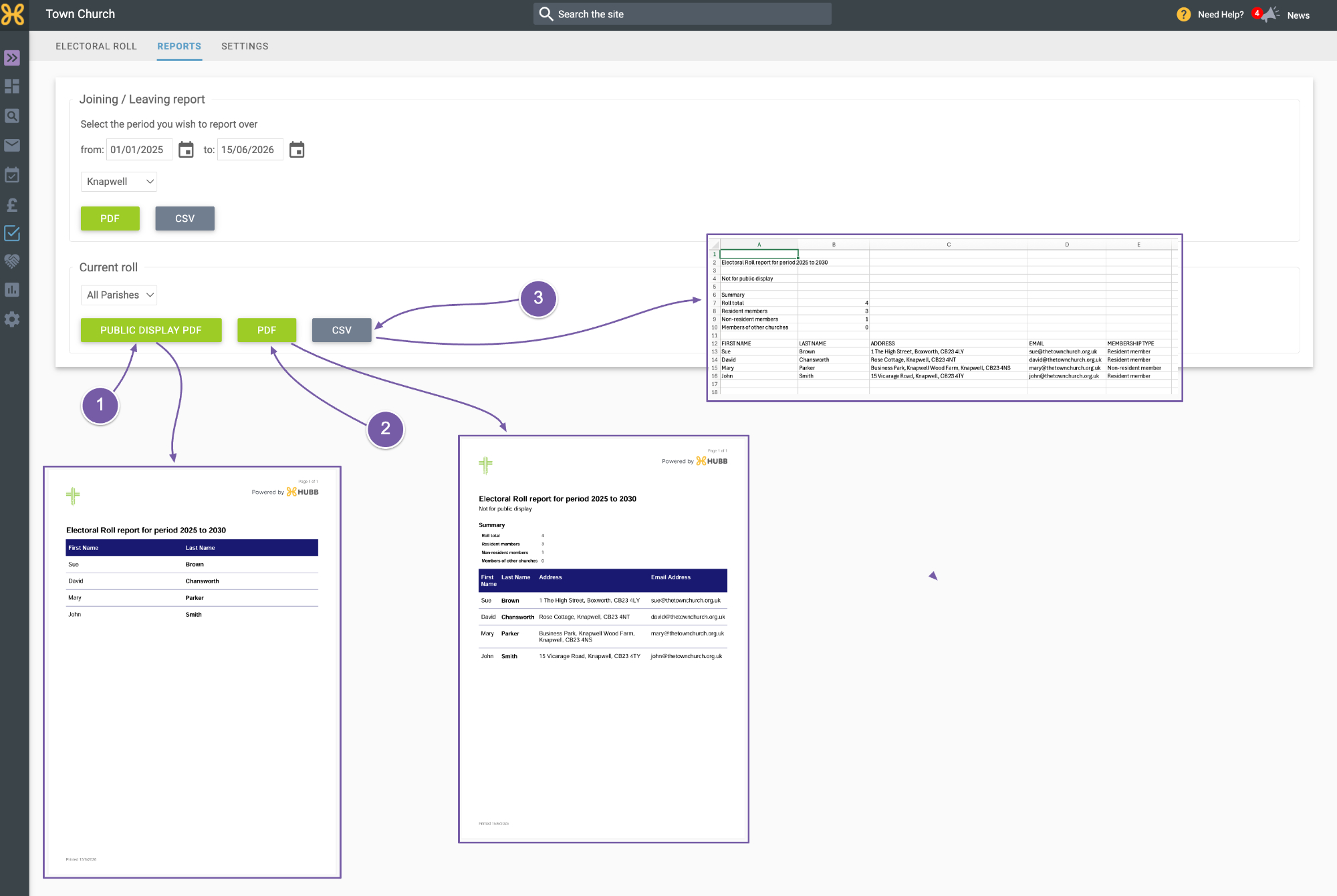
Next, we have the “Current Roll”.
-
You can view and save the public PDF for you to display.
-
Also, a PDF with the details for internal use.
-
And finally, the CSV file.