Order and sort your custom fields
Sorry, your browser is unable to play this type of file.
You can still
download it
Before we create custom fields, it's worth noting that they can be grouped and sorted to make your web office nice and well organised.
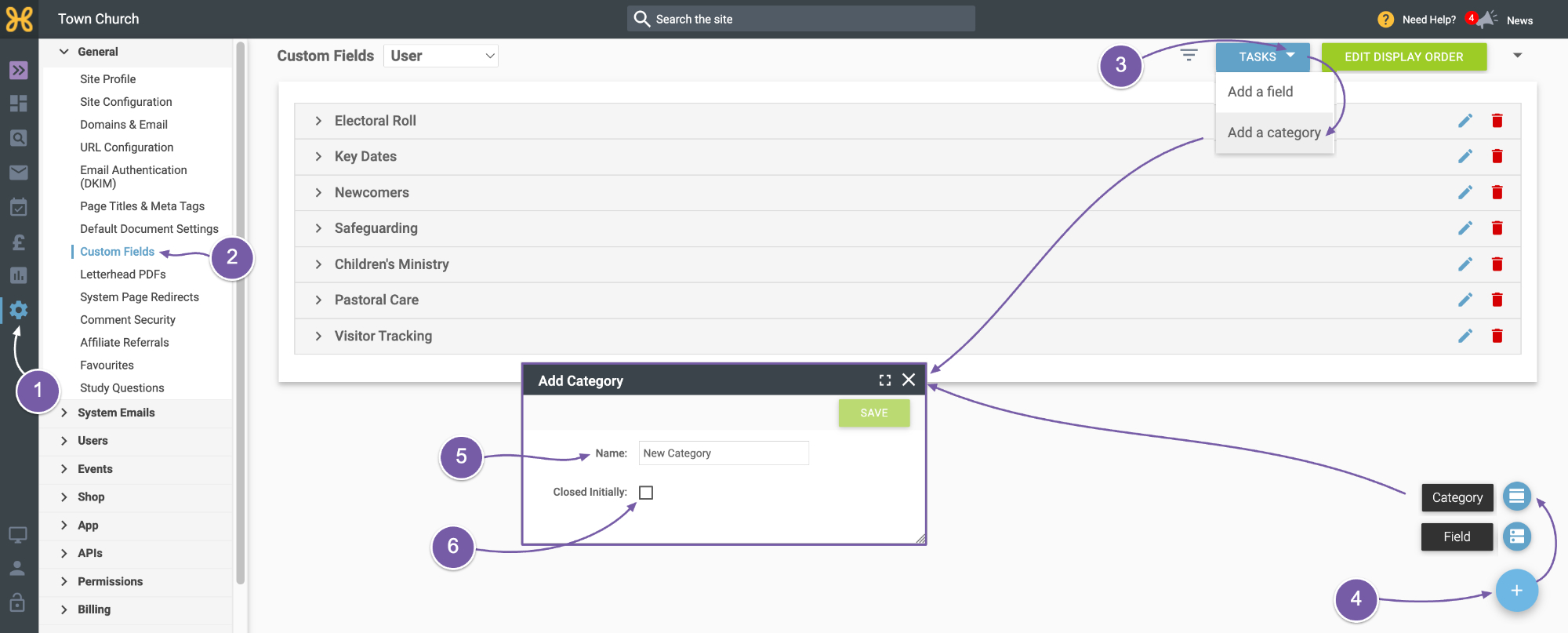
To access the settings for custom fields, go to:
-
“Site Settings” on the left
-
Then “Custom Fields” is on the list on the left.
-
You can use the “Add Category” option that is available from the “Tasks” button at the top...
-
or the “+” button at the bottom right.
-
Name your category
-
Select whether you want it to be open or collapsed by default.
-
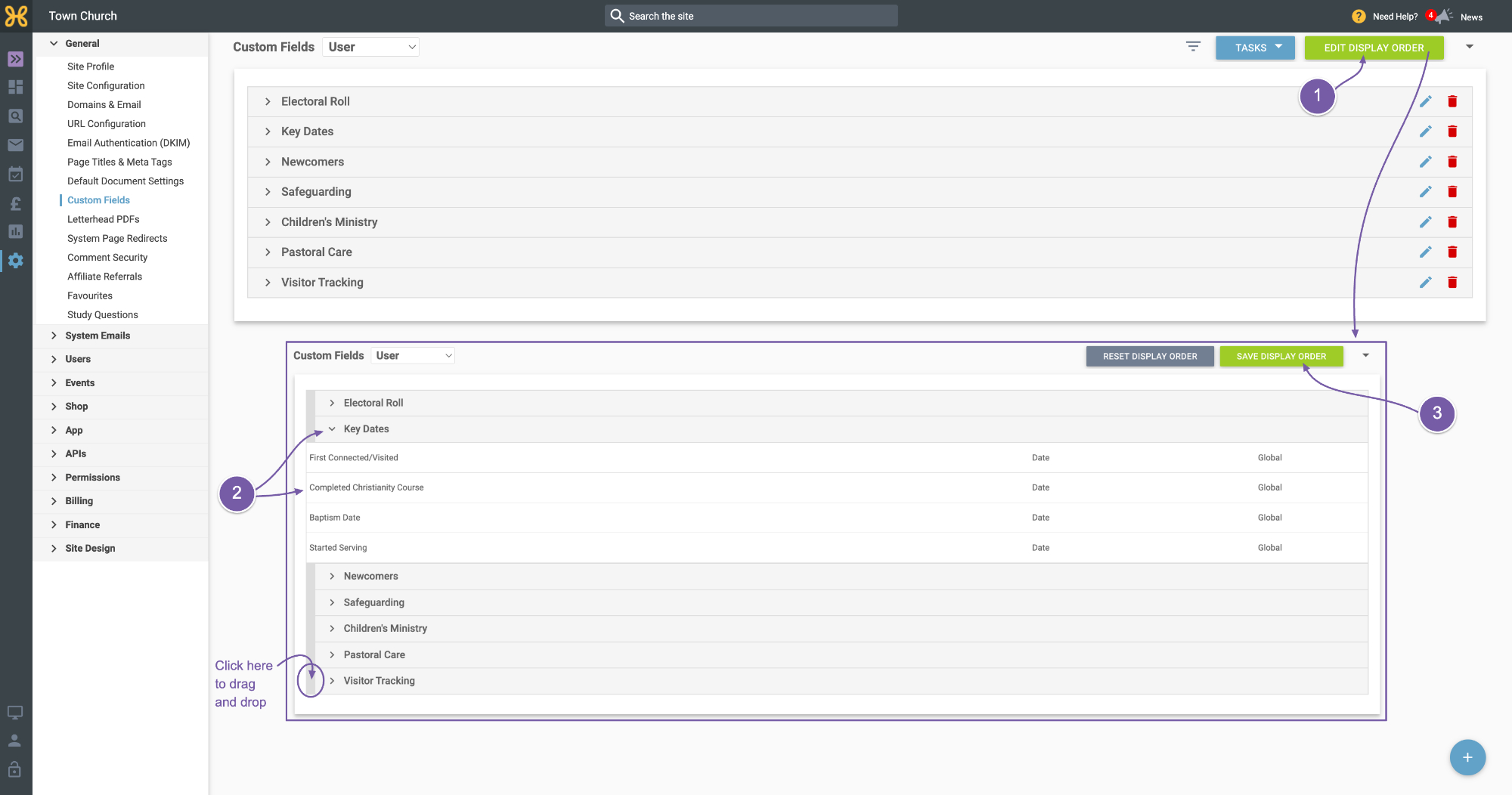
You can also use the “Edit Display Order” button to drag and drop the categories into the order you would like.
-
You can also drag and drop to reorder the fields within each category.
-
When you're done, just click “Save Display Order”.