Custom field permissions
Sorry, your browser is unable to play this type of file.
You can still
download it
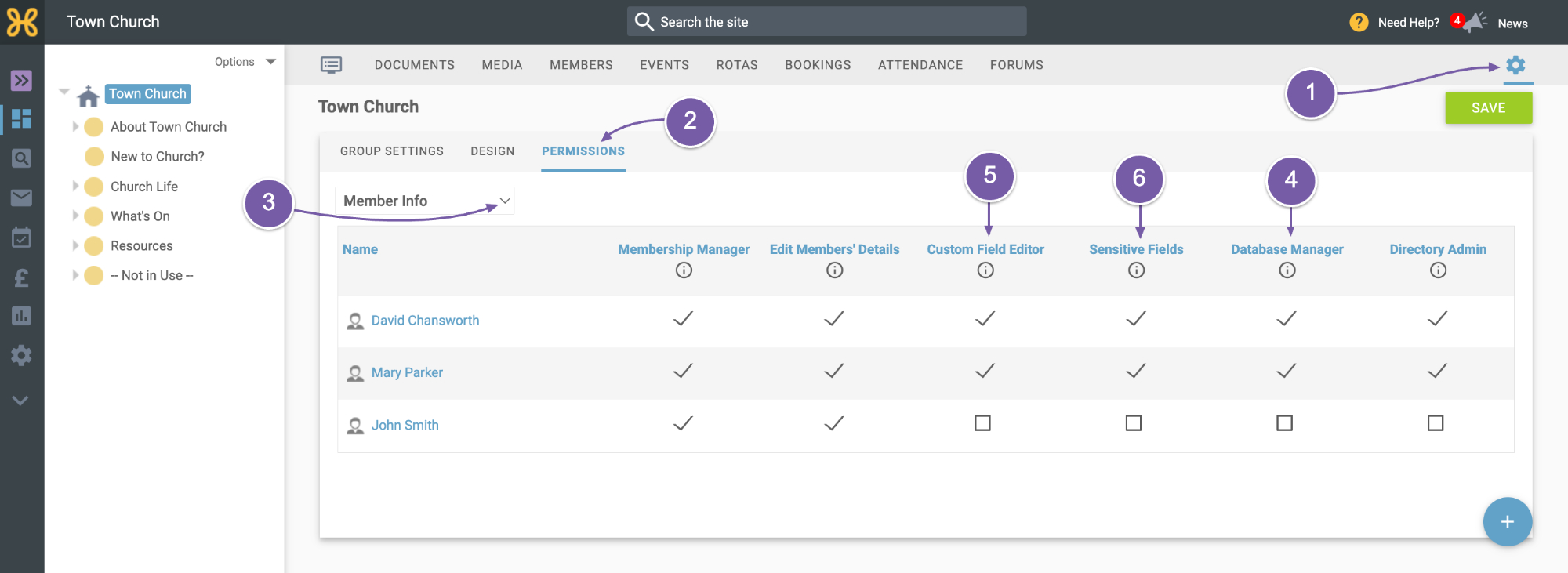
Let's look at the permissions required to create and edit custom fields. Custom field permissions are in:
-
Group Settings
-
Permissions
-
Under the Member Info dropdown. As with all permissions, they inherit down the group tree, so think about where you add these permissions. Please refer to our other video for an overview of how permissions work in Hubb.
-
Database Manager: This enables you to create, remove and change the properties of custom fields that are available to that group.
-
Custom Field Editor: This allows you to edit custom field data that is stored in that group.
-
Sensitive Fields: This lets you see and update the contents of custom fields that are marked sensitive.