An overview of custom fields
Sorry, your browser is unable to play this type of file.
You can still
download it
The contact information in your user database is limited to common details such as name, address, phone number etc.
Most organisations have other pieces of information they wish to store, for example, allergies, baptism or DBS expiry dates, relationships - like a mentor or small group leader. These pieces of information vary from organisation to organisation, so it's impossible to create a one-size database that works for everyone. This is where custom fields come in.
Let's review some background information to help you understand how these custom fields work in Hubb.
There are two categories of custom fields, “Global and Non-Global”.
-
Global custom fields are extra information you want to store for everyone across your site. You will always see these fields on a person's user record. An example of a global field might be allergies.
-
Non-global custom fields are the same as global custom fields, except they are only available where you want them to appear.
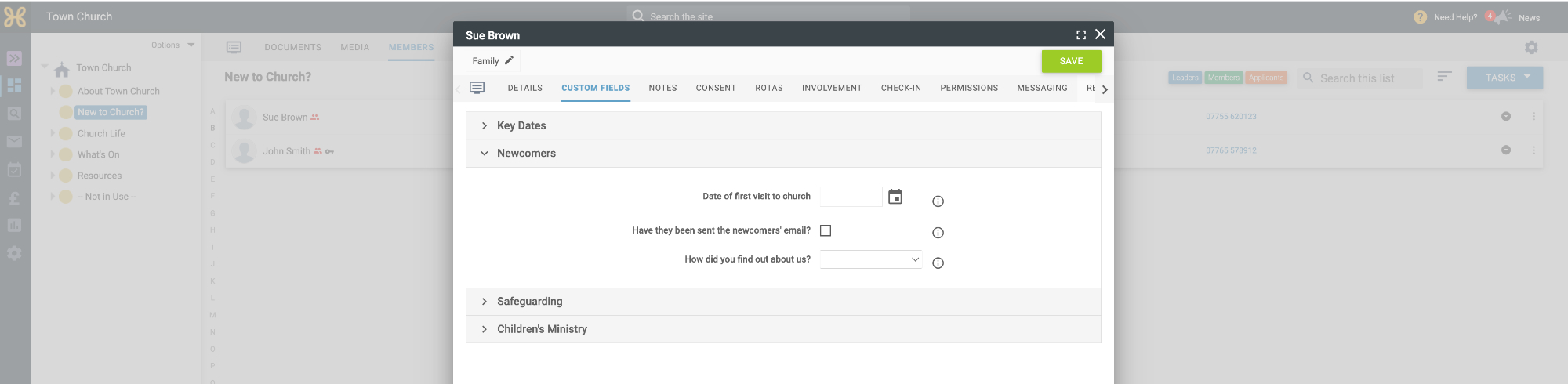
In our Town Church site, we have created some non-global custom fields specific to newcomers and they are stored in that group. This way, information is relevant to people who have expressed an interest in attending church, but not long-standing members.