Extra tip Adding song sheets
Here is a quick video to show you how to upload song sheets to your plan.
Sorry, your browser is unable to play this type of file.
You can still
download it
-
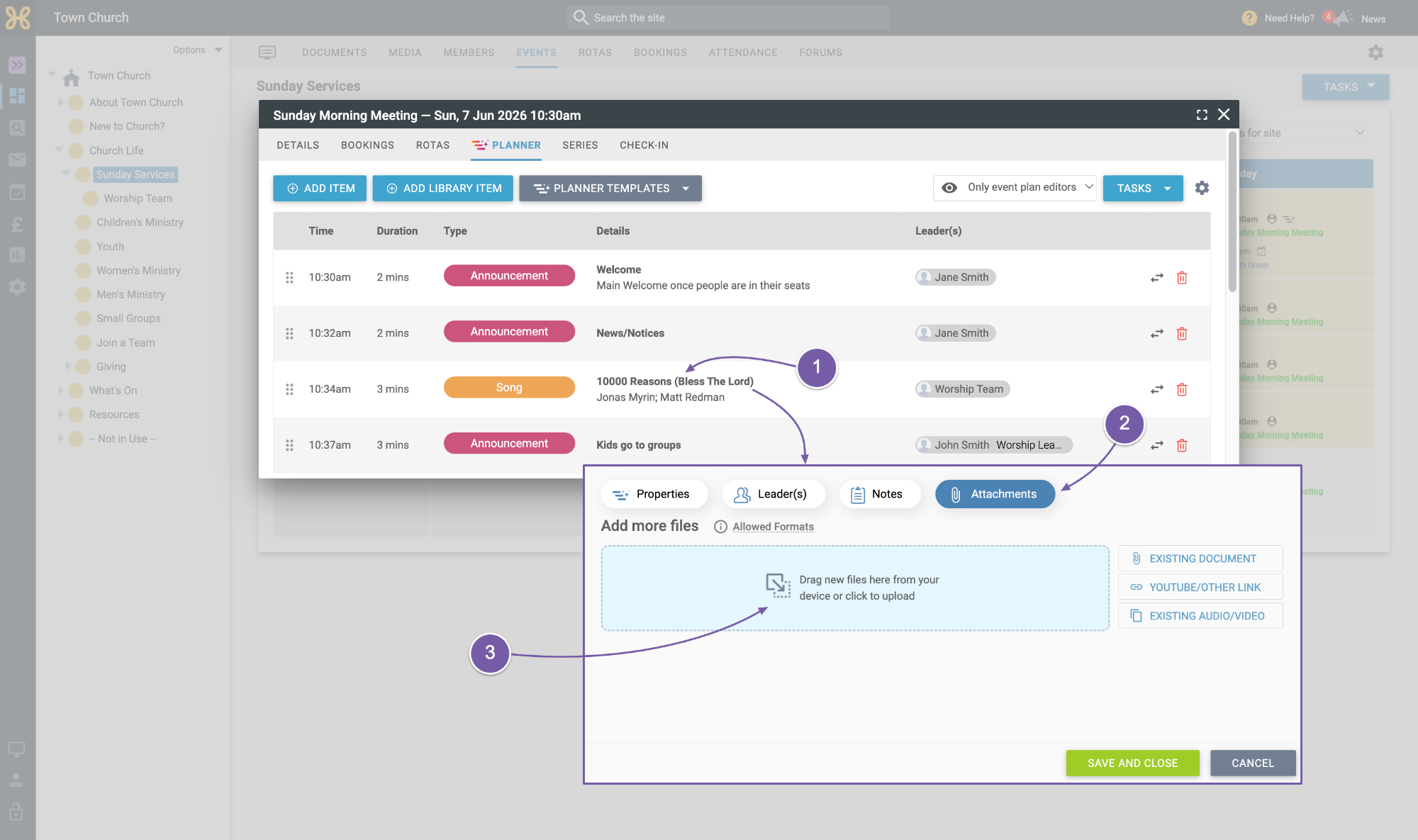
In the plan click on the song you'd like to add the sheet for.
-
Then access the “Attachments” tab.
-
Drag and drop or click to upload your file.
-
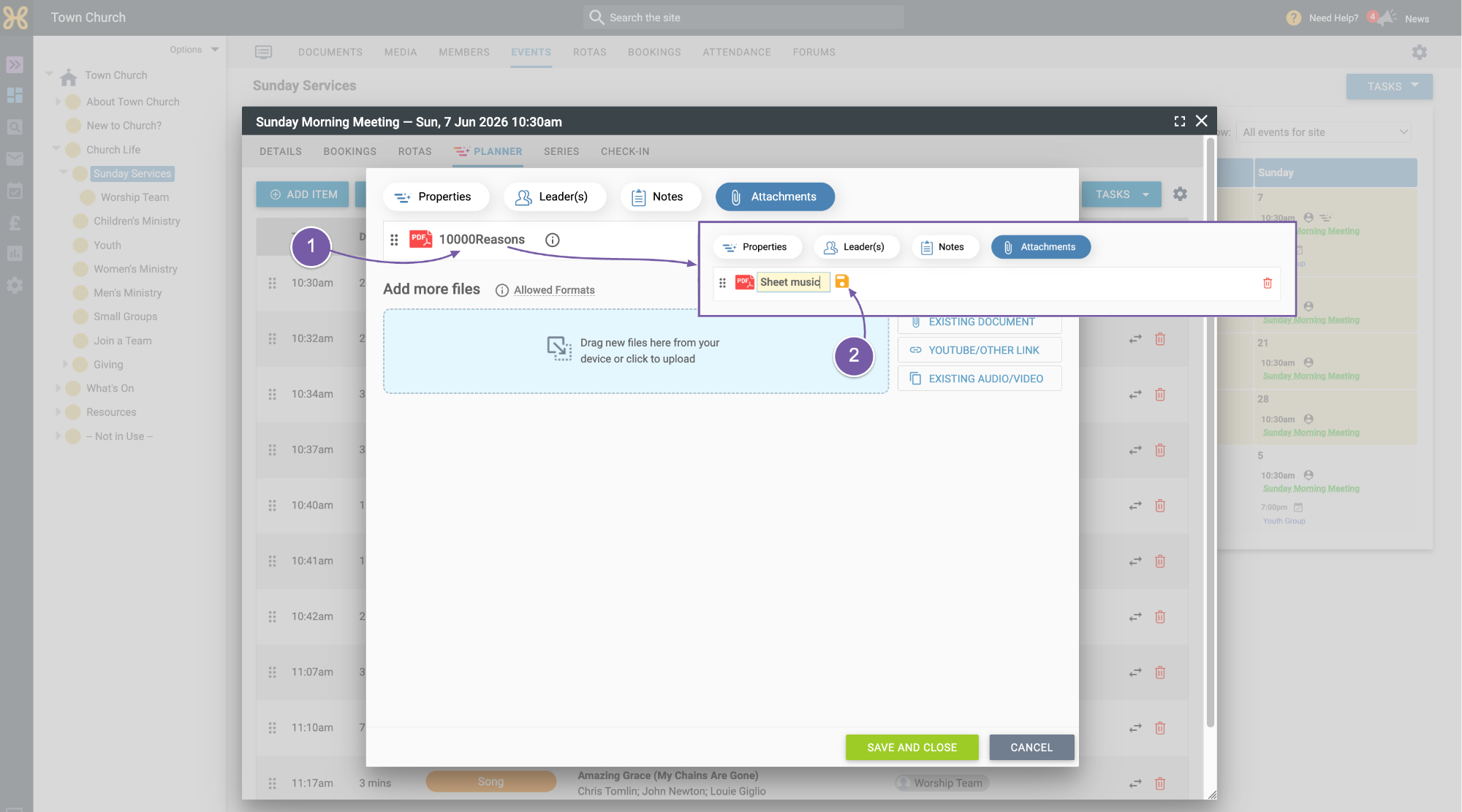
When the file is uploaded, you can click on it,
-
Update its name, which is auto saved.
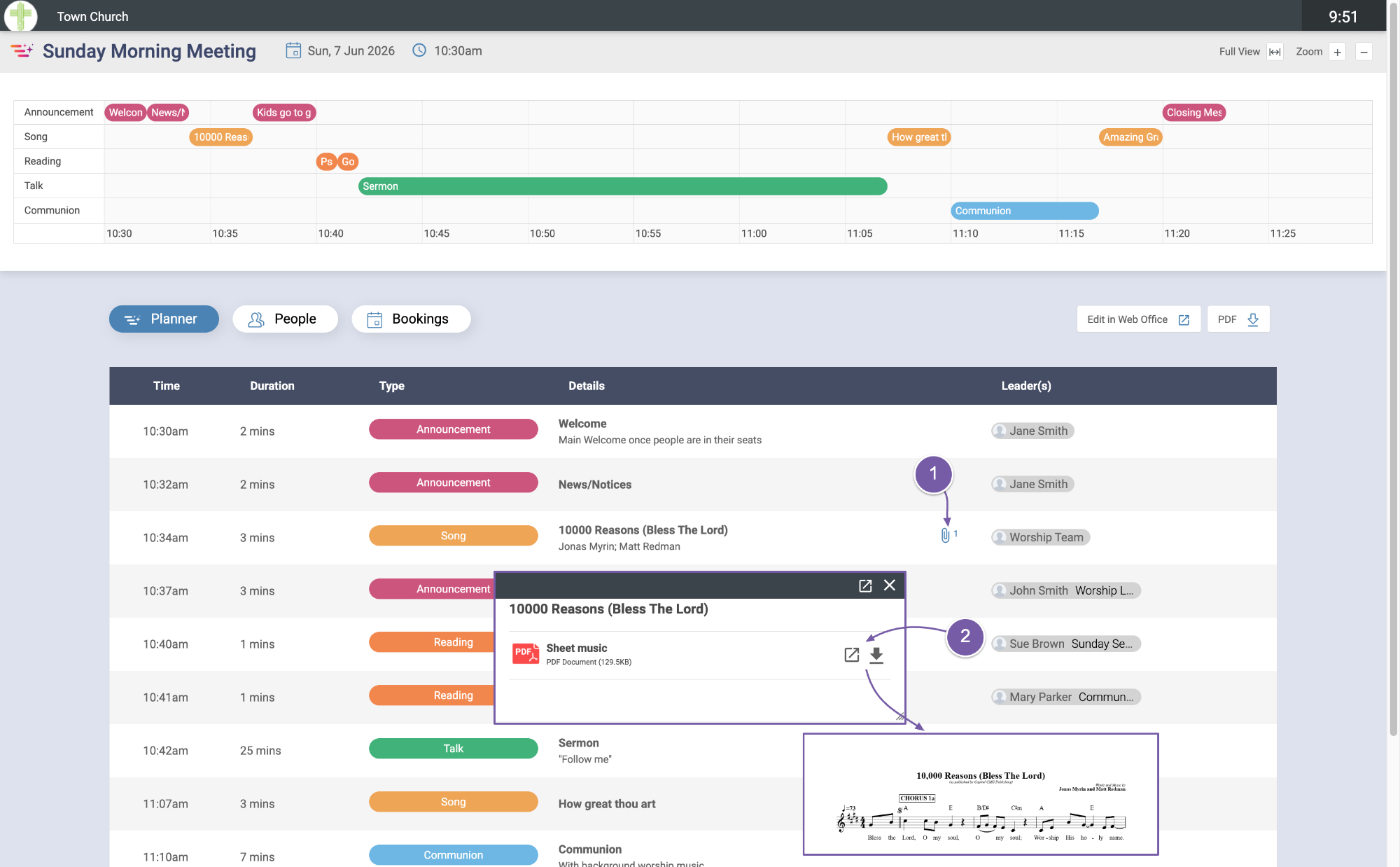
On your plan, you can:
-
Go to the song and click on the attachment symbol
-
Then open or download the sheet music.