Summary - Make sure your recording properties are tidy
(2 minutes)
It's good to check your sermons and make sure they are as user-friendly as possible.
Sorry, your browser is unable to play this type of file.
You can still
download it
This is just a short video to help you have nice friendly and tidy sermon recordings displaying on your website. Sometimes the files you get sent will have techie names and extensions that will not be that user friendly, so it's important to tweak these properties of the recordings to improve the experience for your members and the public who look at your site.
-
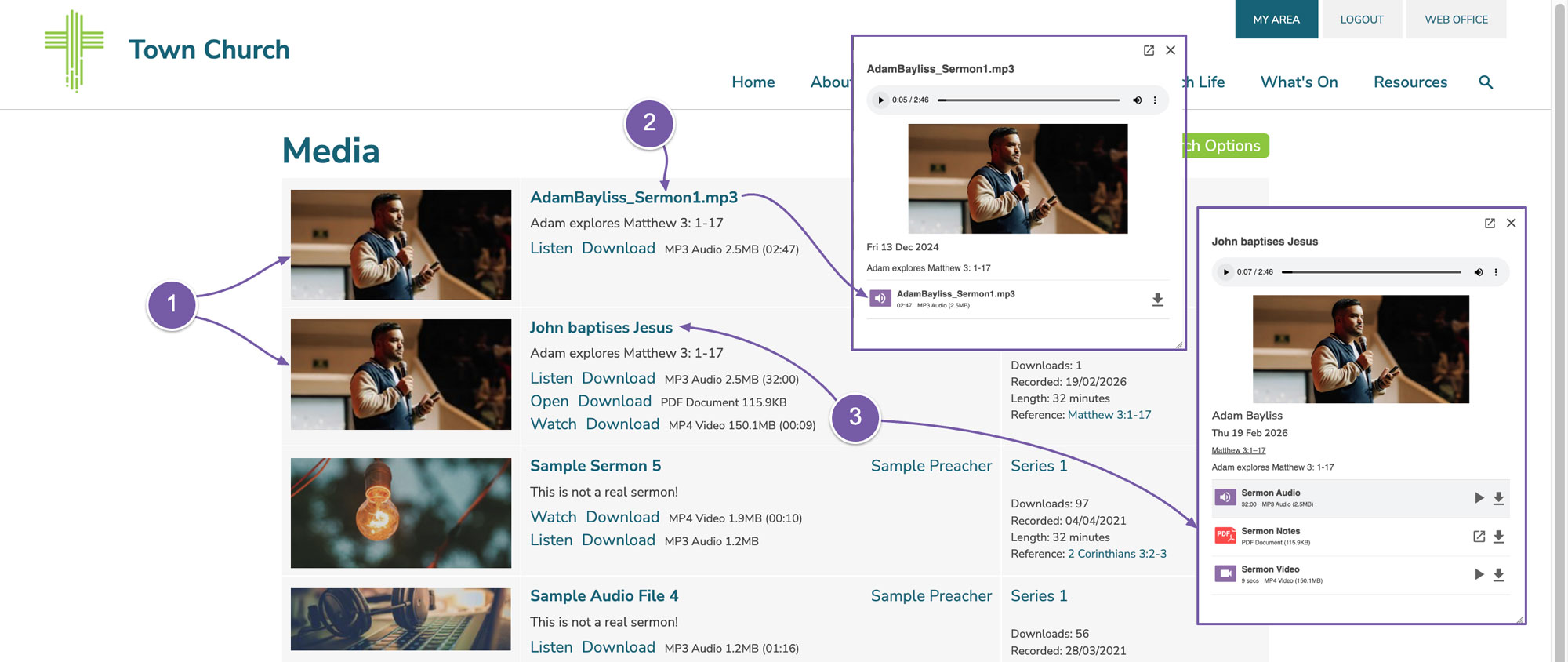
You can see on our sample sermon page we have two sermon recordings for Matthew 3: 1-17.
-
The top sermon has its file names that have not been changed. We can click on this to see it in more detail. You can see when the media player opens all of the names of the files are unfriendly.
-
You will see that the titles in other recording make more sense.
 If you need to go and edit the title of your recordings:
-
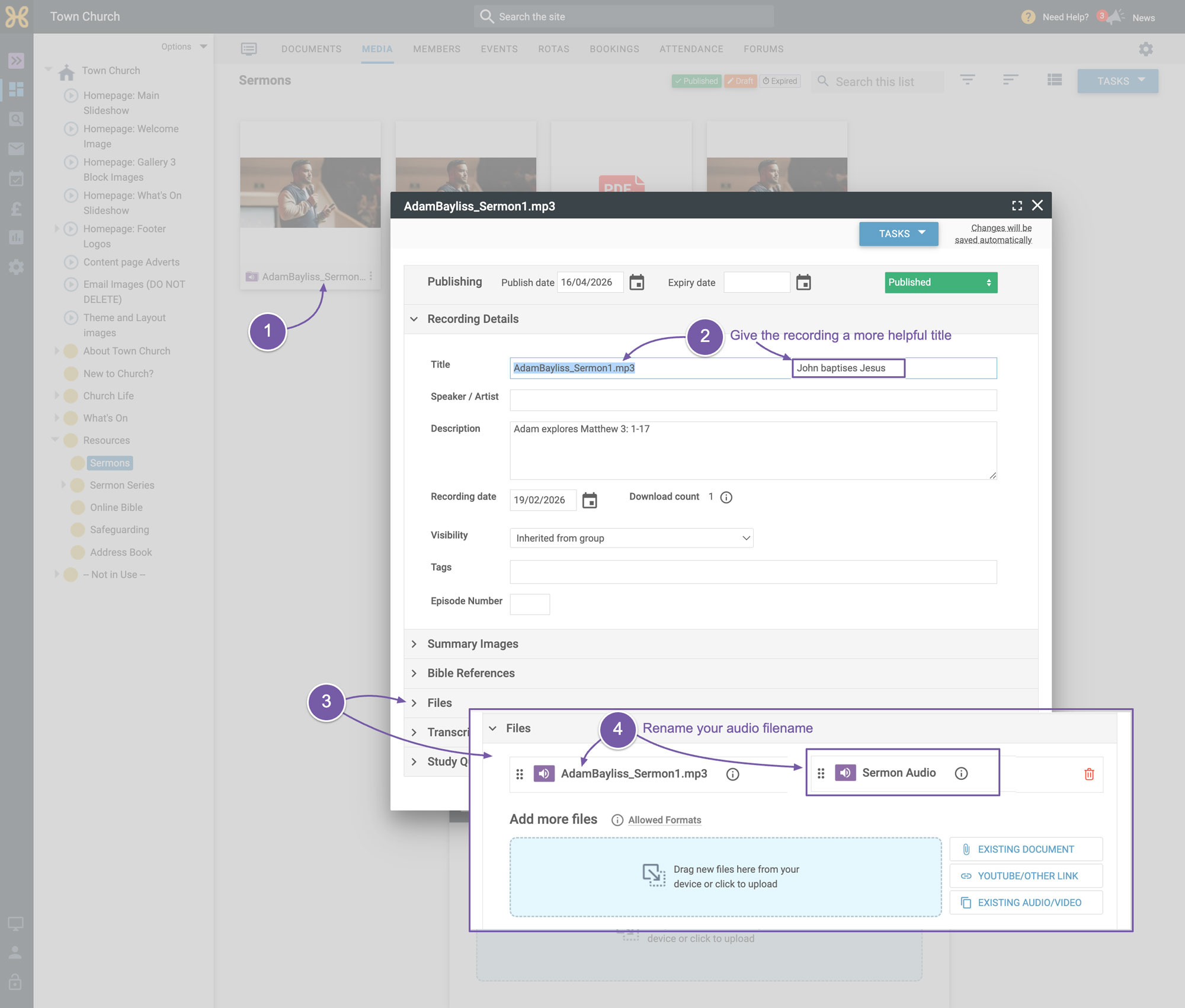
Find them in your web office and click on the file to open it up
-
Make sure the recording title is good
-
Then open up the "Files" section
-
Edit those too.
Now you should have much better sermon recordings for your members to access.