How to set up your Direct Debit
Direct Debit is how you pay for Hubb, and it’s set up through GoCardless, our secure payment partner. We’ll email you a personal link to get started, and this guide takes you through the rest.
Filling in your details
-
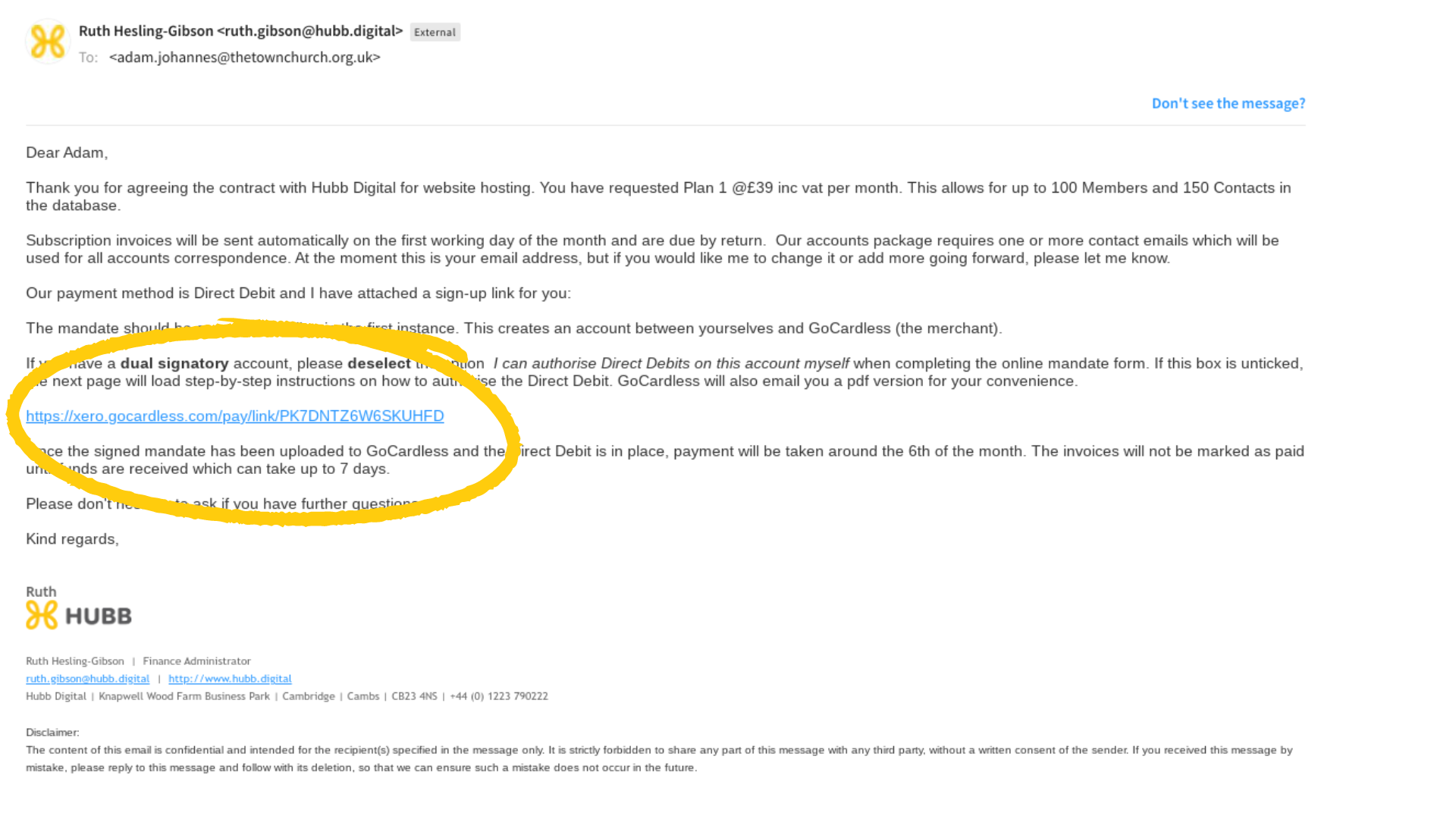
Open the Direct Debit link we’ve emailed you.
-
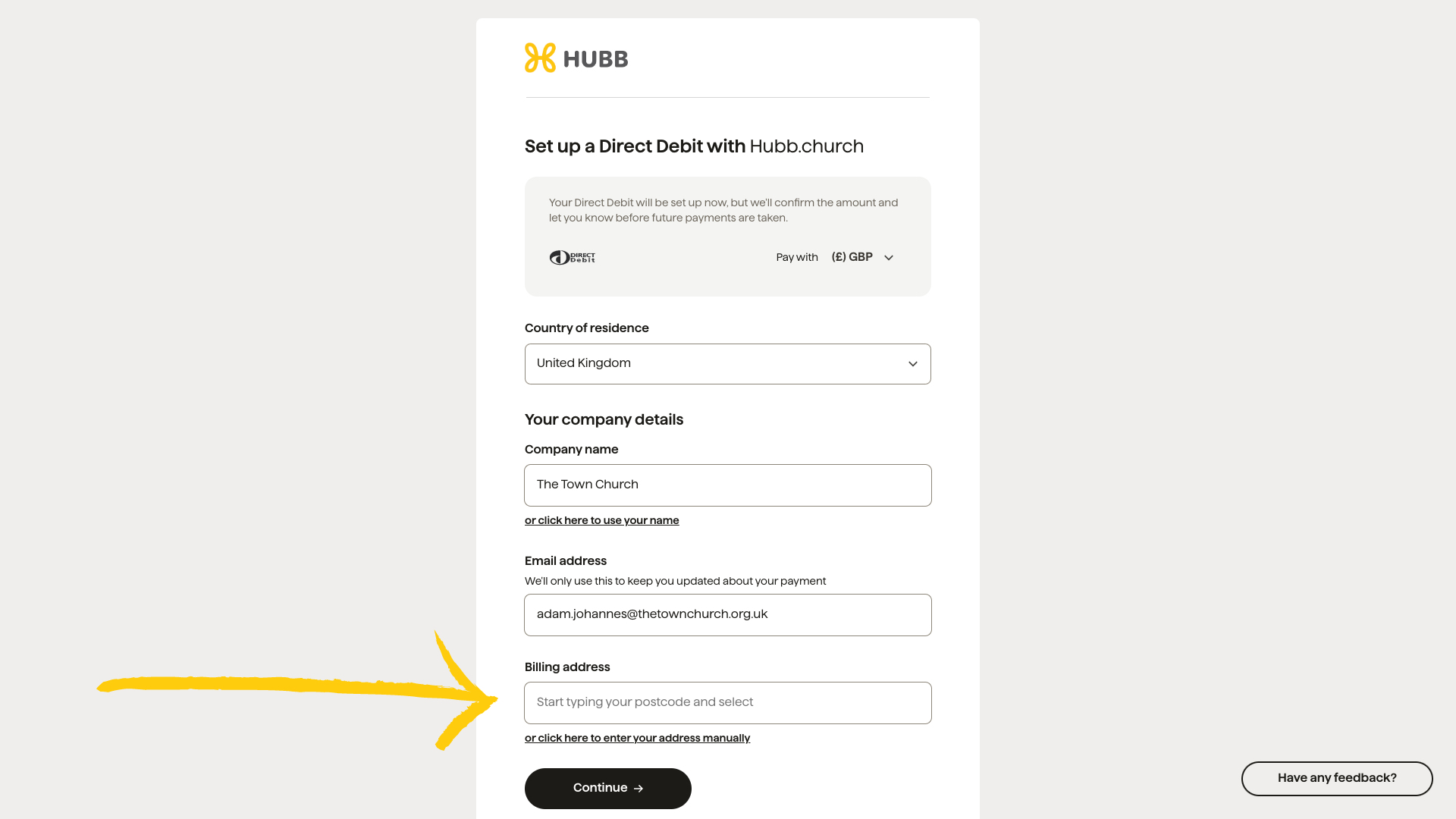
Start typing your address in the ‘Billing Address’ field and pick it from the list, or type it in yourself.
-
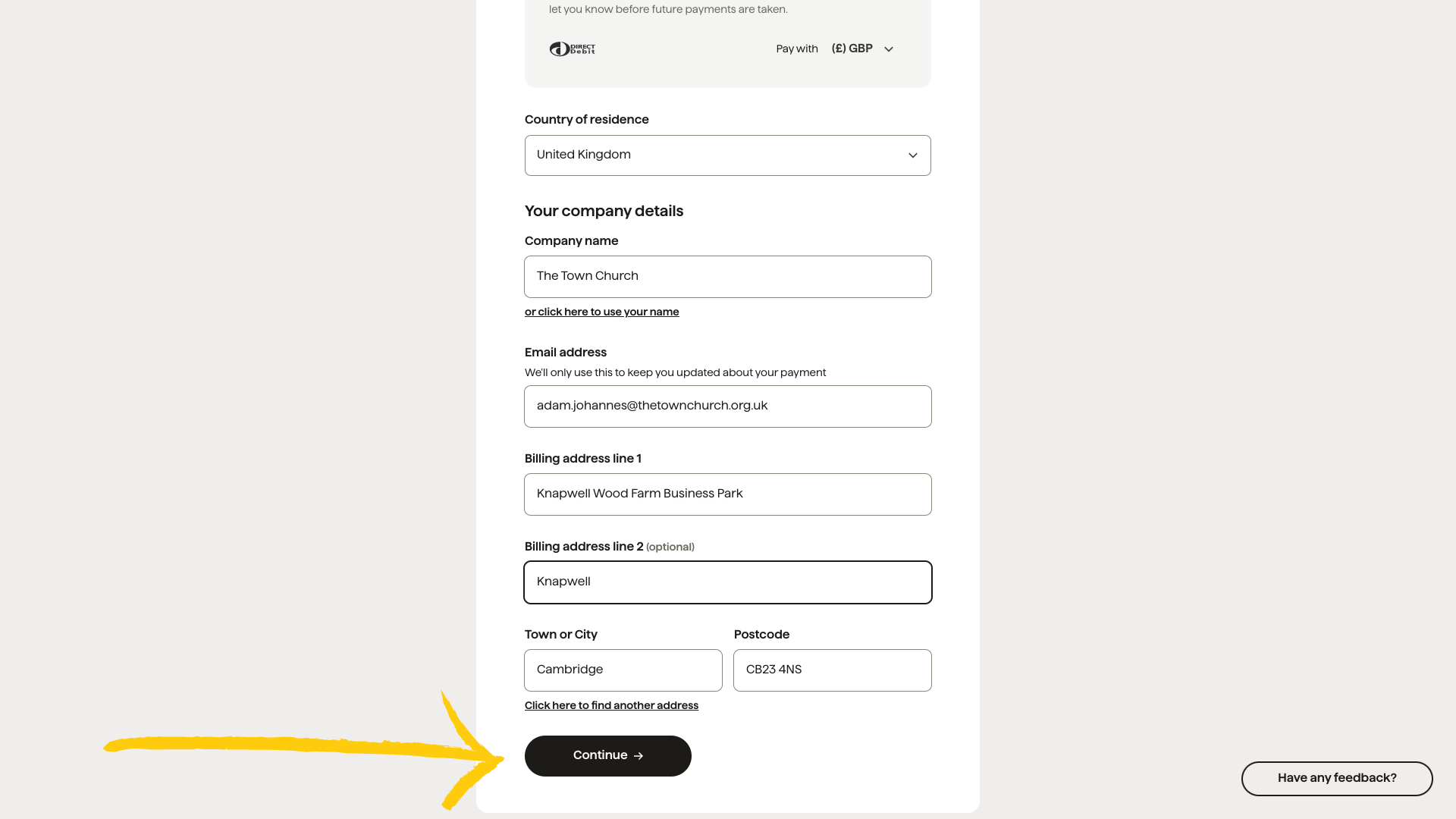
Check your address is right and click ‘Continue’.
-
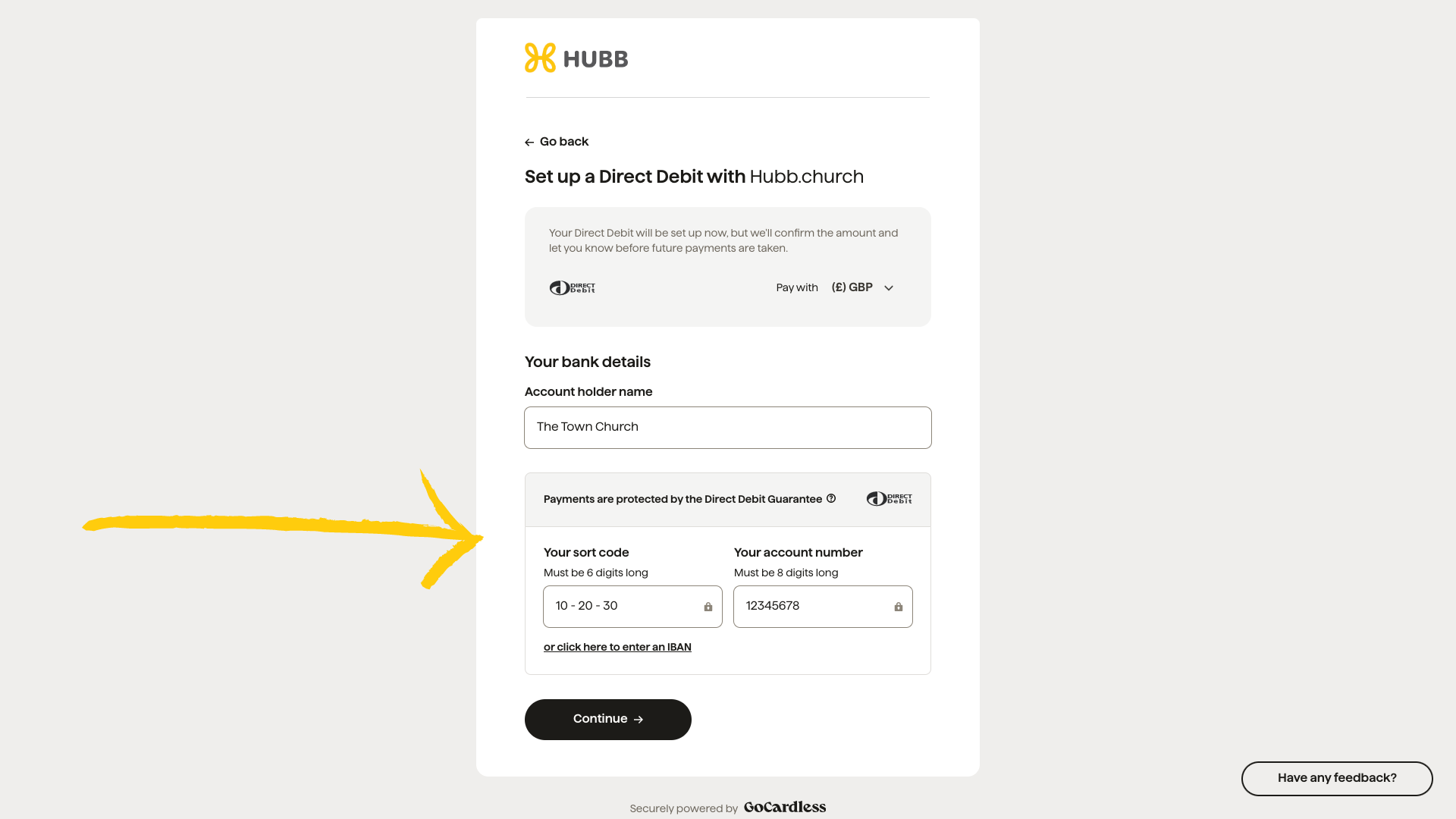
Enter your bank details.
Next you’ll choose how the mandate is signed.
Signing it yourself
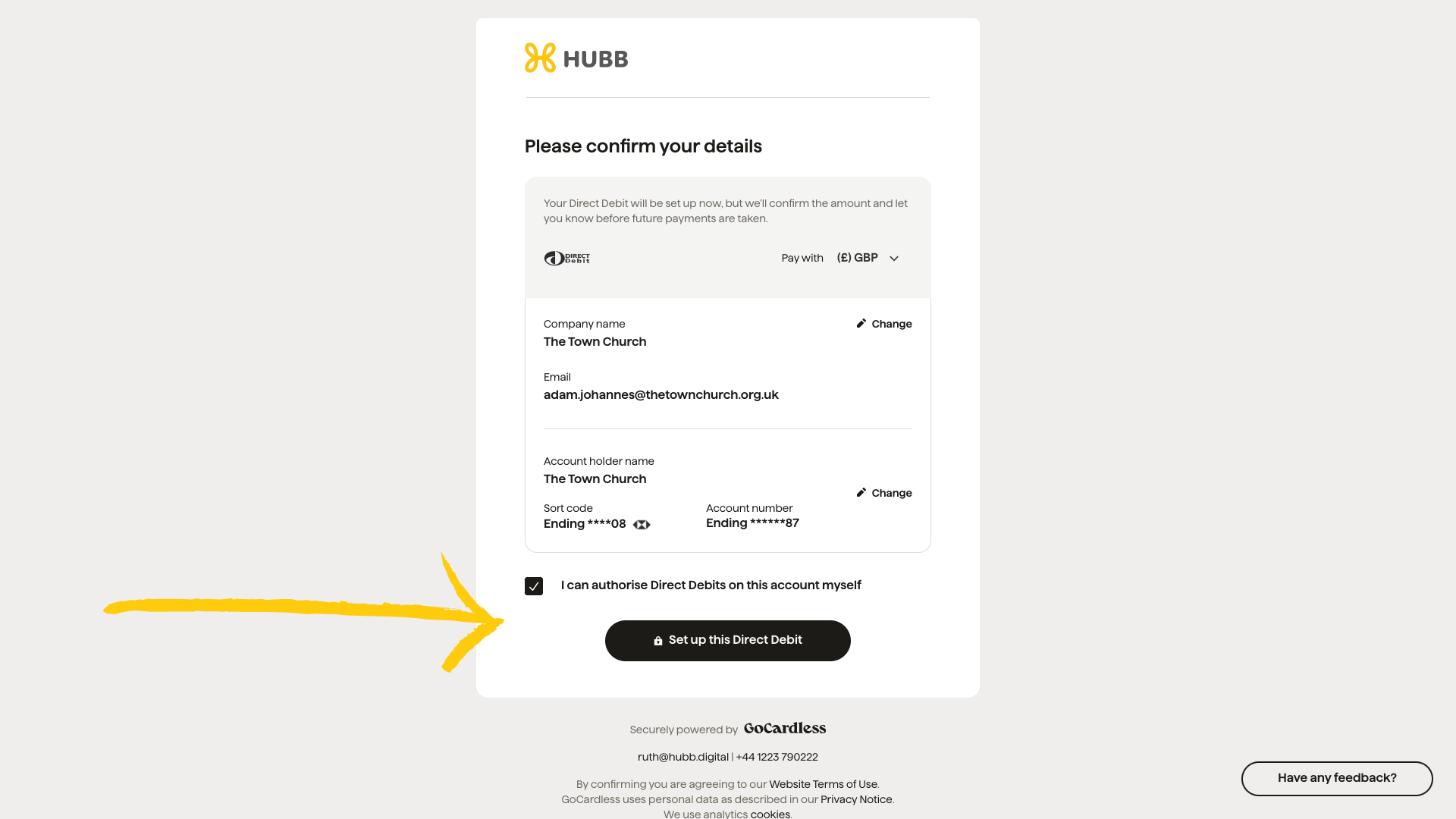
Check your details and click ‘Set up this Direct Debit’. You’ll be taken back to the Hubb website, and that’s it, your Direct Debit is set up.
Getting it signed on paper
If more than one person needs to authorise the Direct Debit, you’ll sign a printed copy instead.
-
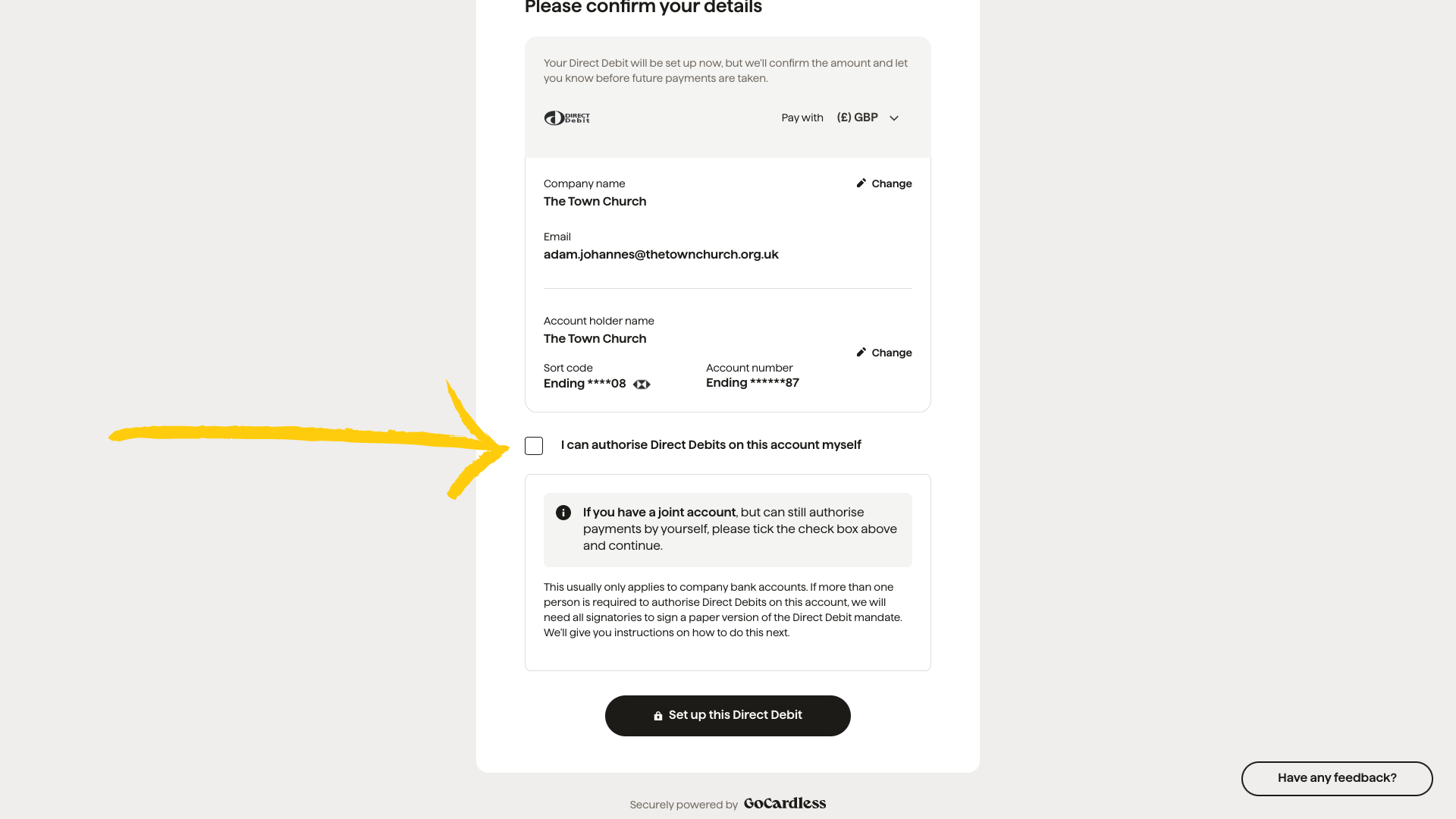
Untick ‘I can authorise Direct Debits on this account for myself’, then click ‘Set up this Direct Debit’.
-
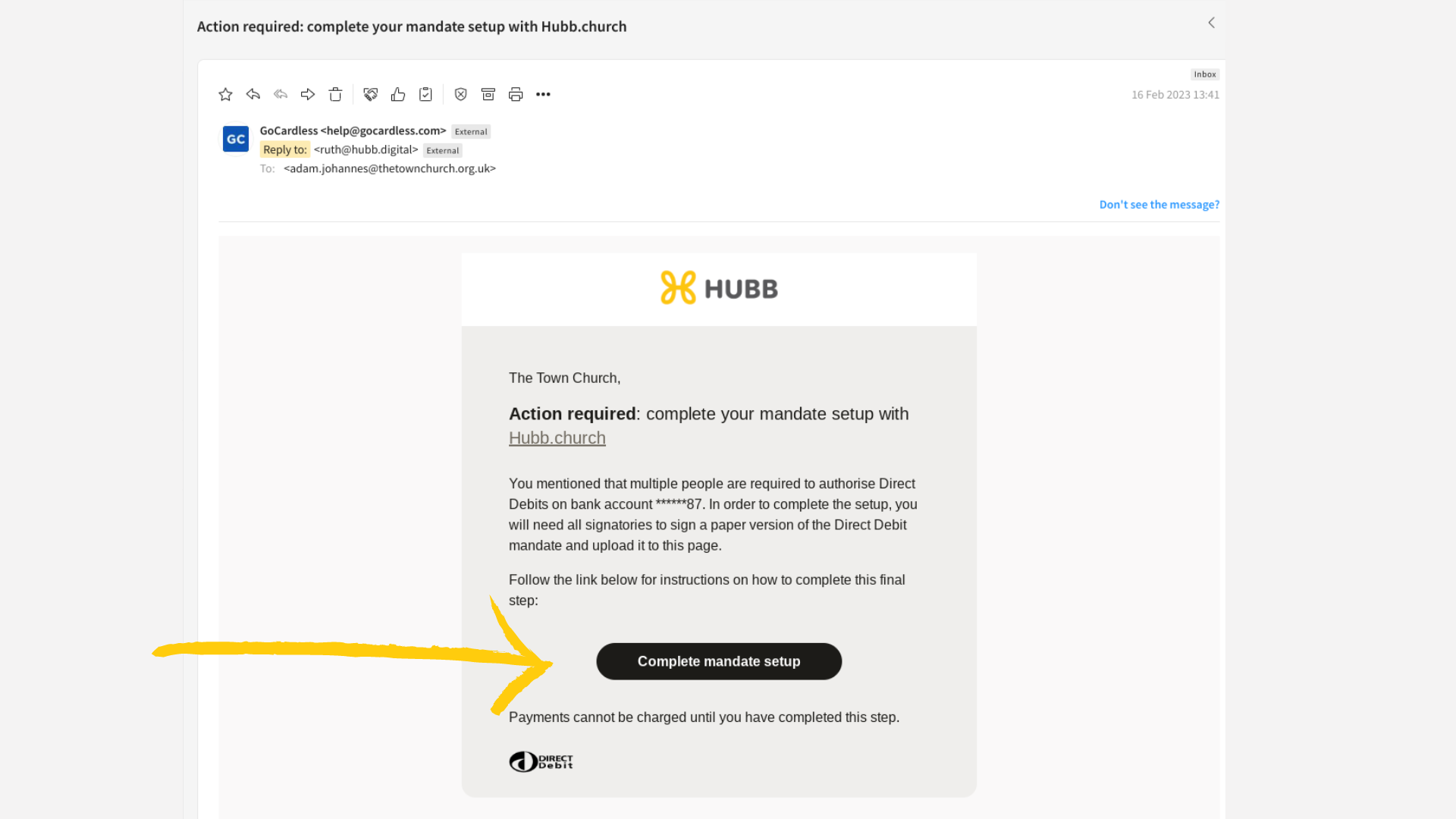
You’ll get an email from GoCardless. Click ‘Complete Mandate Set Up’, and keep this email, you’ll need it again to upload the signed copy.
-
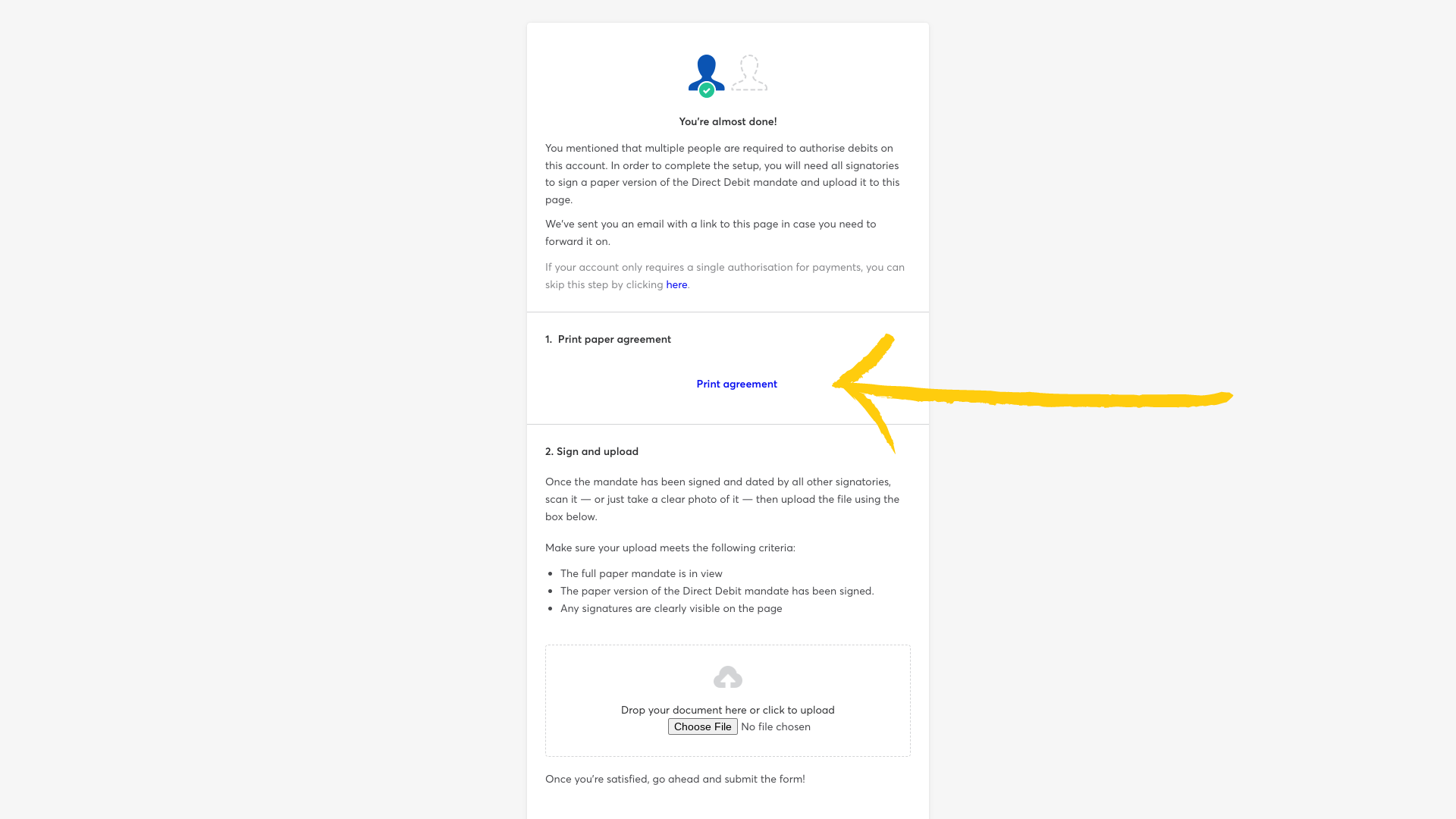
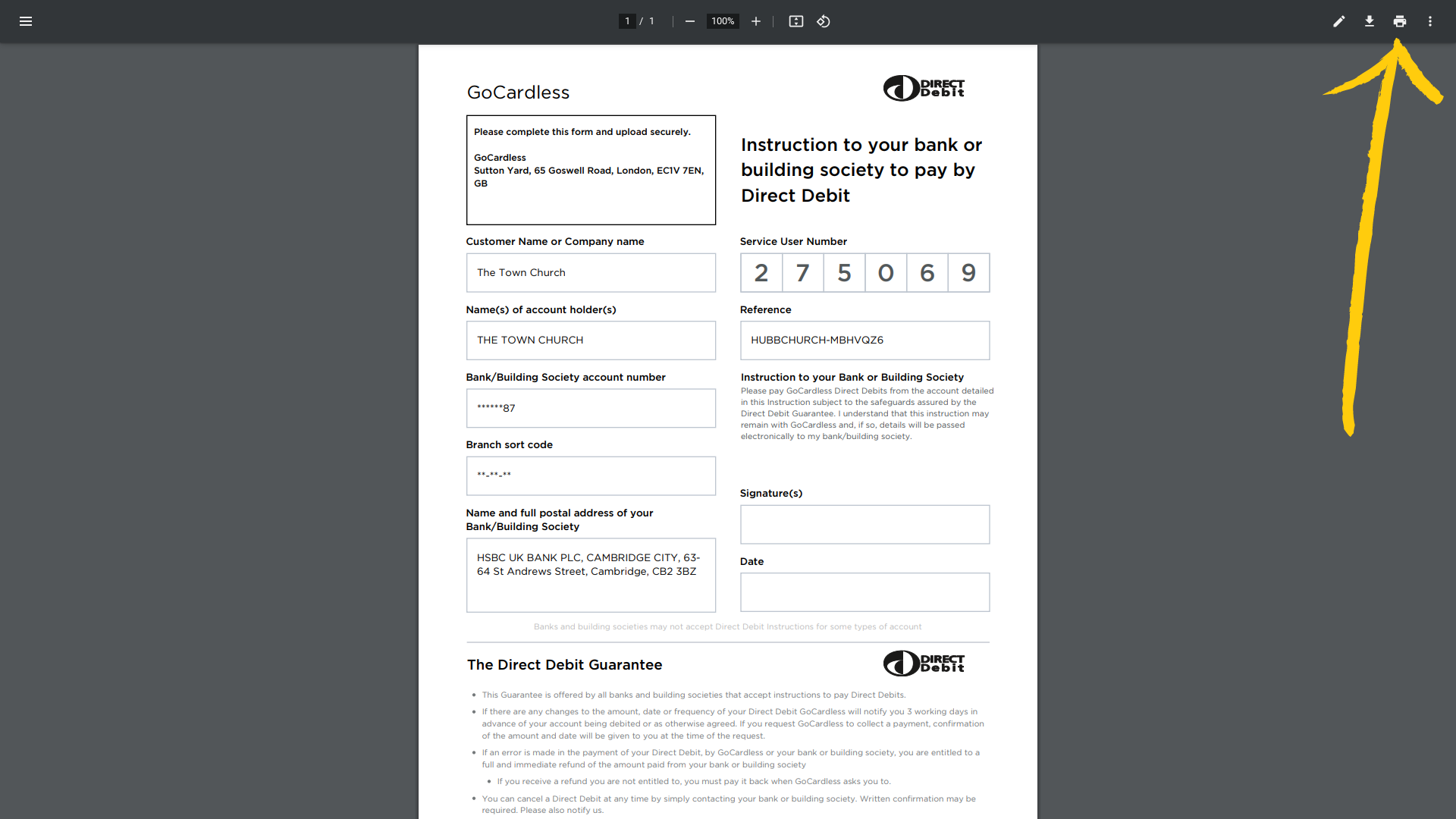
Click ‘Print Agreement’ to open the mandate as a PDF.
-
Print it, then get your signatories to sign the paper copy.
-
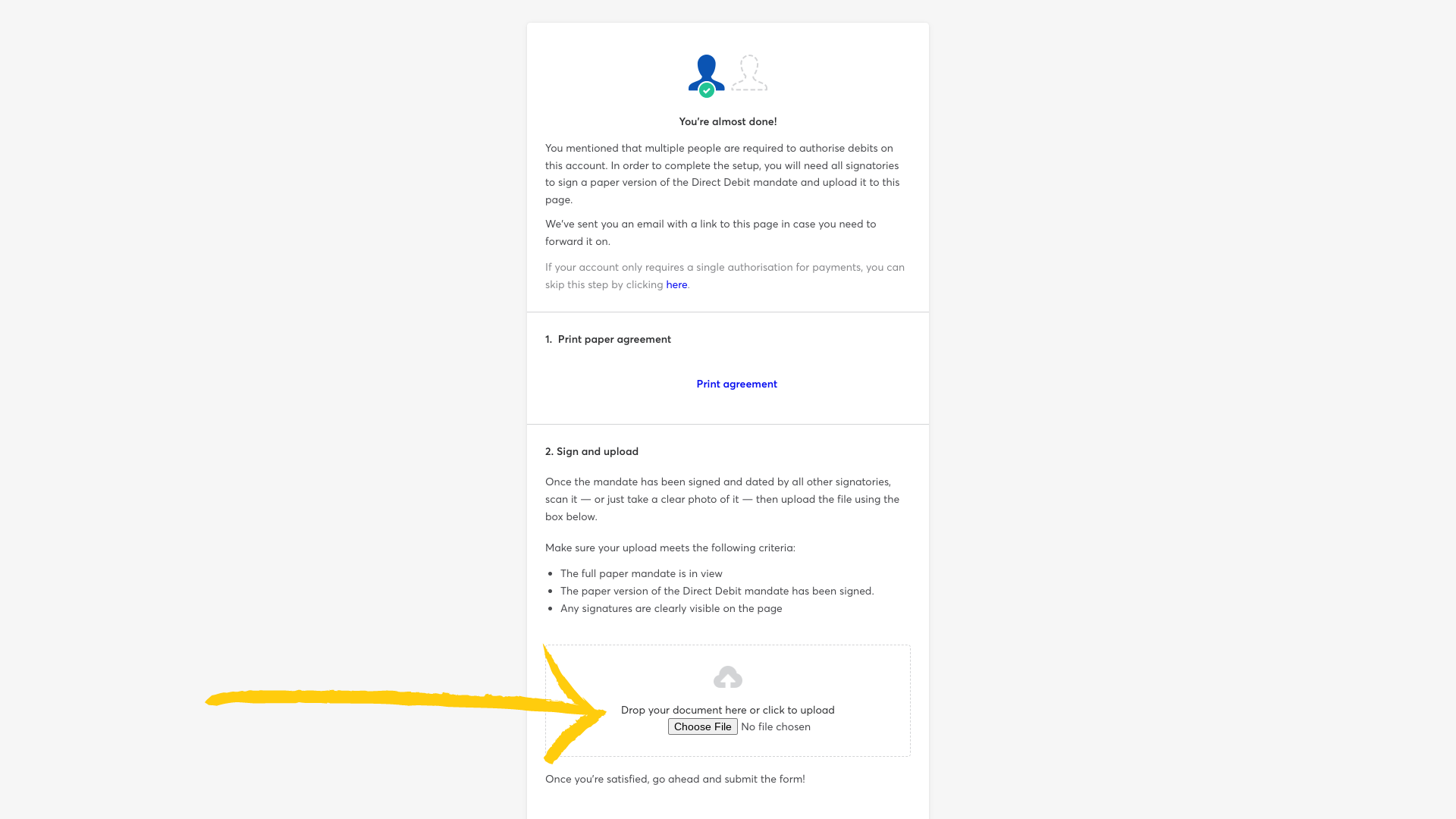
Back in the GoCardless email, click ‘Choose File’ and upload your signed mandate.
-
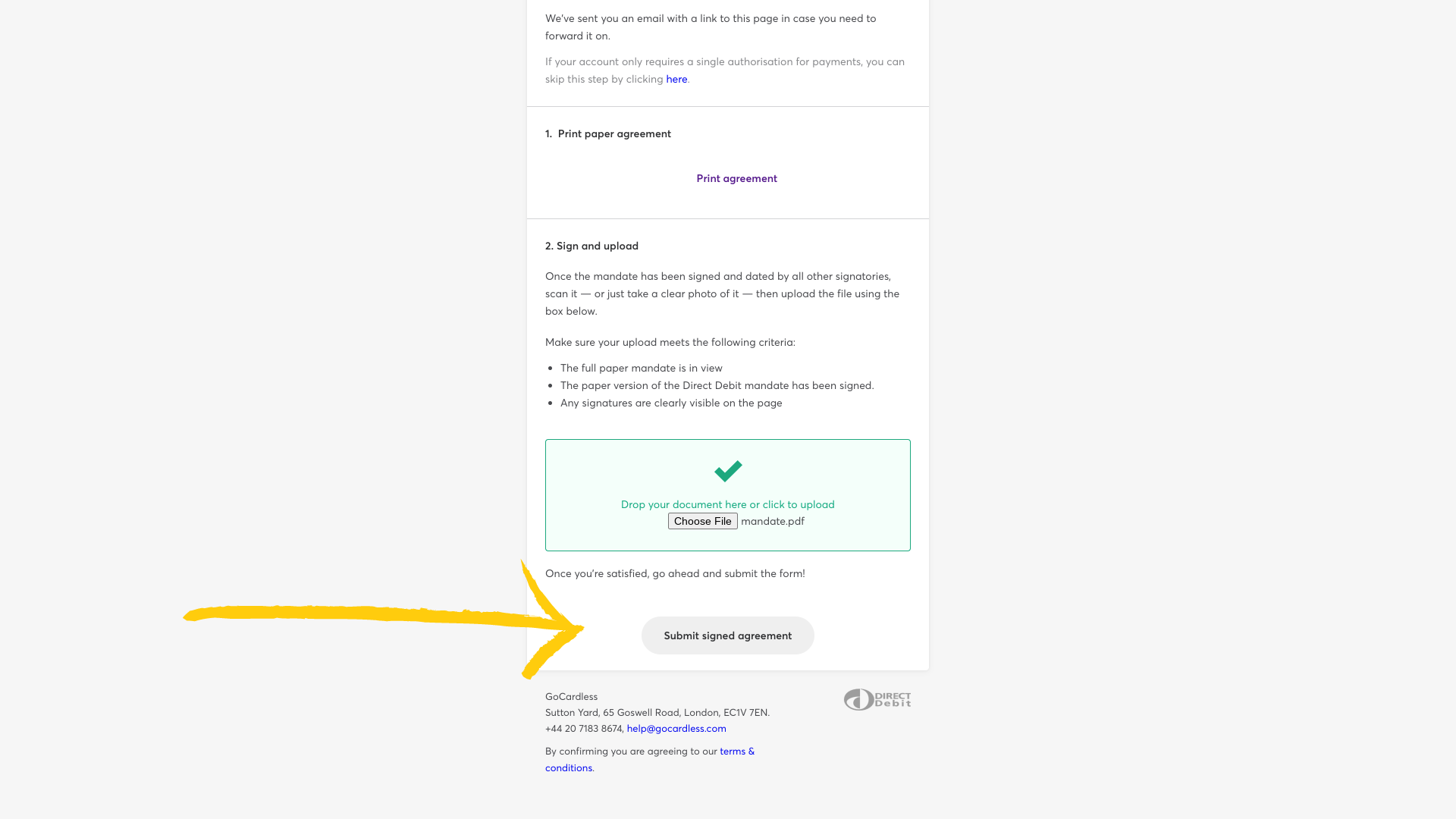
Click ‘Submit signed agreement’. You’ll see a confirmation page, and you’re all set.

Good to know
-
Haven’t been sent your Direct Debit link yet? Contact our UK team and we’ll send one over.
-
Most churches can sign the mandate themselves. You’ll only need the paper route if more than one person has to authorise payments from the account.
Still stuck? We’re real people.
Raise a support ticket and our UK team will get back to you.
Contact support