Editing the text on the slideshow
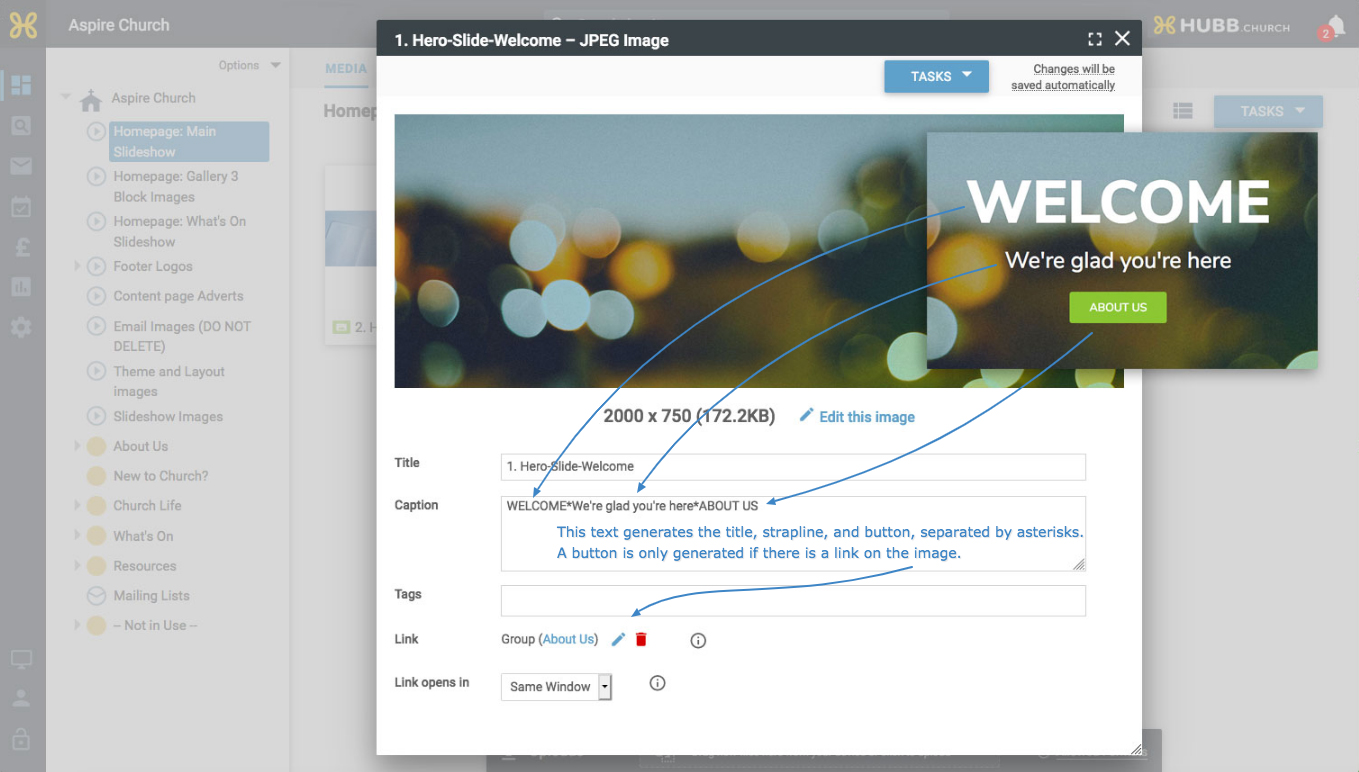
You can edit the text shown over each slideshow image, and here’s how. The default size for these images is 2000 by 750 pixels.
Click an image to open its pop-up, where you’ll find a ‘Caption’ field. The text is set in three parts, separated by asterisks: the heading first, then the strapline (shown in a smaller font), then the button text, which only appears if the image has a link.
All slideshow images are shown in alphanumeric order, so renumber them or change their titles to change the order.
New to Hubb? There are some short getting started guides in our getting started area.
Still stuck? We’re real people.
Raise a support ticket and our UK team will get back to you.
Contact support